Before you start
You need an account at Zapier or Make, and the owner or admin role in your Pricebeeper account, because an integration sends your data to another service. Pricebeeper sends the same events to both, so you can follow either part of this guide.
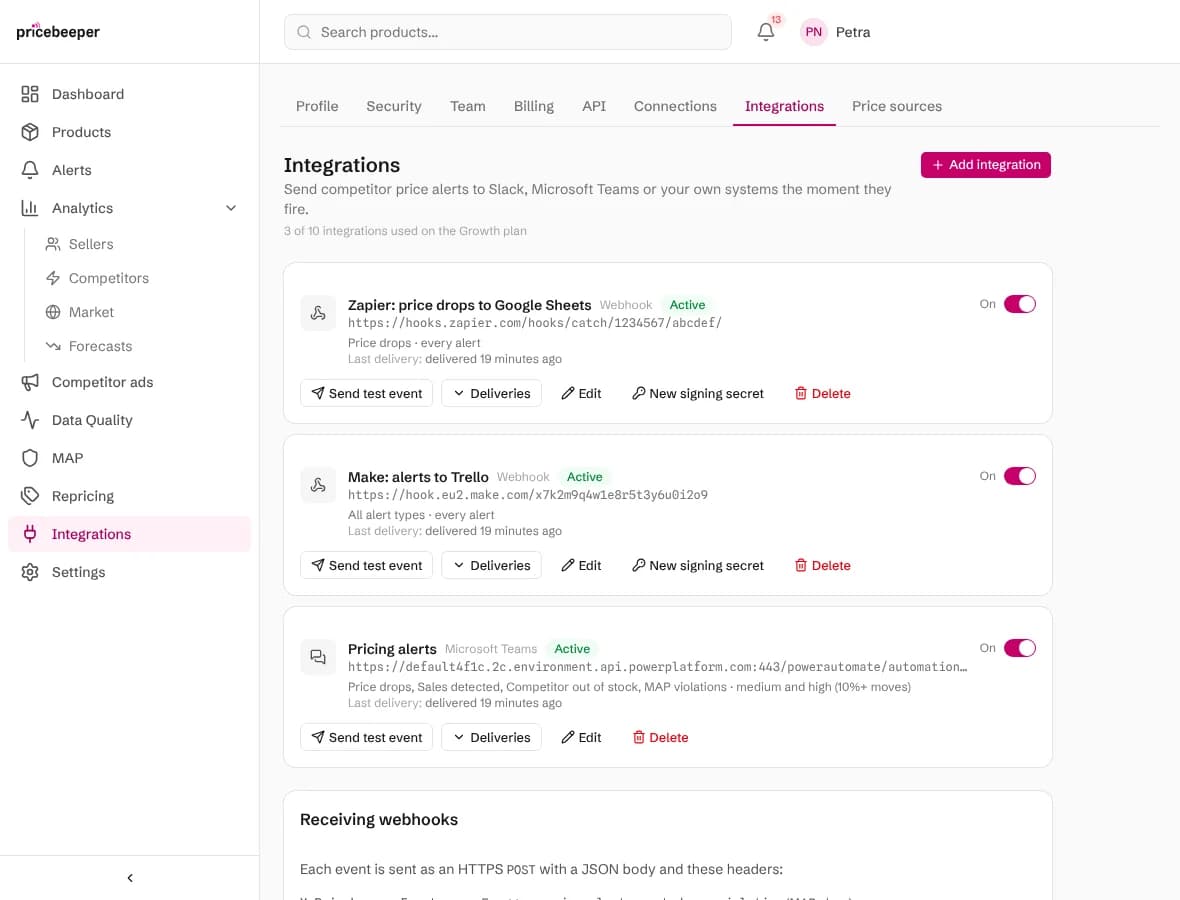
Zapier: catch alerts with Webhooks by Zapier
Start a Zap with a webhook
In Zapier, create a Zap. For the trigger, choose Webhooks by Zapier and the event Catch Hook. Leave the child key empty and continue.
Copy the webhook address
Zapier shows a webhook address on hooks.zapier.com. Copy it.
Add the webhook in Pricebeeper
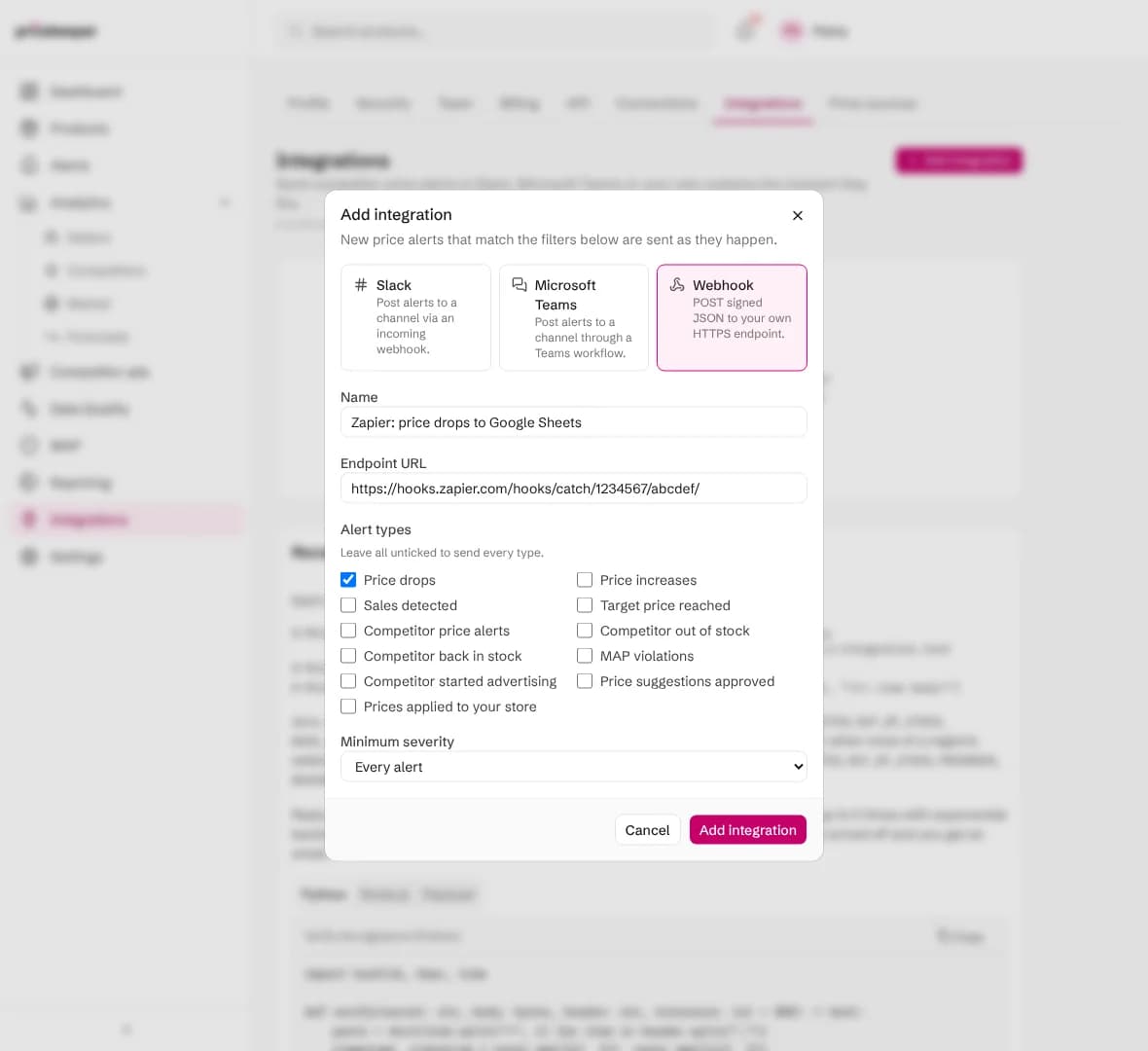
In Pricebeeper, open Settings, Integrations, Add integration, pick Webhook, name it and paste the address into Endpoint URL. Tick the alert types the Zap should handle, then Add integration.
Send a test and pick it up in Zapier
Choose Send test event on the new integration, then Test trigger in Zapier. Zapier shows the sample alert with all its fields.
Add the action
Add the step that should happen, such as Google Sheets, Create Spreadsheet Row, and map the alert's fields to it (the list below says what each one holds). Publish the Zap.
Make: catch alerts with a custom webhook
Start a scenario with a webhook
In Make, create a scenario and add the module Webhooks, Custom webhook. Choose Add, name the webhook Pricebeeper and save.
Copy the address
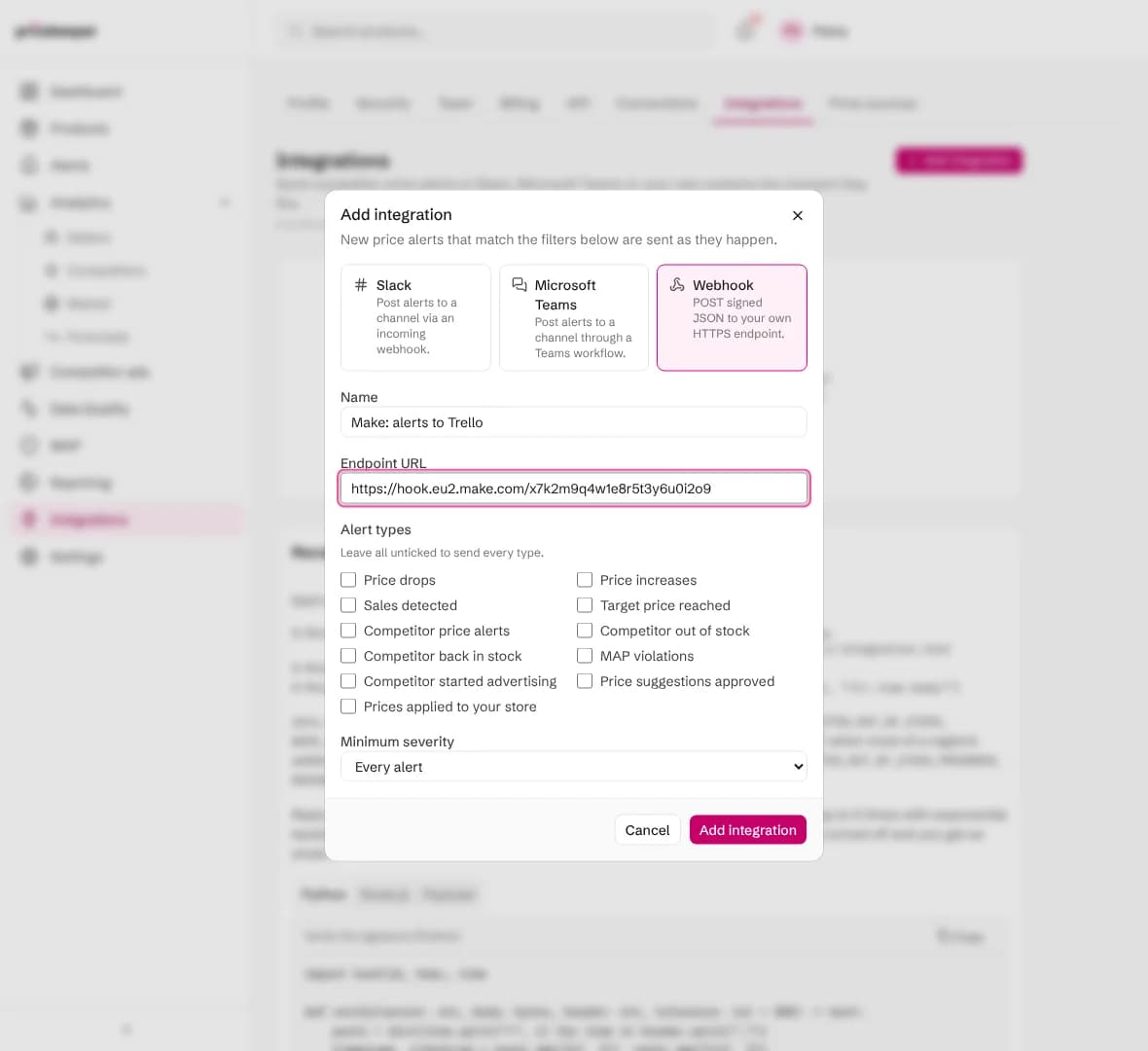
Make shows an address on hook.make.com (with your region, such as hook.eu2.make.com). Copy it. Make now waits for the first request so it can learn the data's shape.
Add the webhook in Pricebeeper
In Pricebeeper, add a Webhook integration with that address as its Endpoint URL, as for Zapier above.
Send a test
Choose Send test event on the integration. Make shows Successfully determined, and the alert's fields become available to the next modules.
Add the next modules
Add what should happen, such as Trello, Create a Card, map the fields and switch the scenario on. Set it to run immediately as data arrives.
What each alert contains
Every event has an id, a type (price_alert.created for alerts, integration.test for tests, map.violation for MAP and price.applied for repricing) and its data. These are the fields you'll map most often:
| Field | What it holds |
|---|---|
| data.alert.type | PRICE_DECREASE, PRICE_INCREASE, SALE_DETECTED, TARGET_PRICE, OUT_OF_STOCK, BACK_IN_STOCK and the other types |
| data.alert.severity | LOW, MEDIUM or HIGH, by how big the move is |
| data.alert.current_price | The competitor's new price, as text such as 179.00 |
| data.alert.previous_price | Their price before the change |
| data.alert.price_change_percentage | The change in percent, negative for a drop |
| data.alert.currency | The currency code, such as EUR |
| data.alert.seller | The competitor's shop |
| data.alert.message | A sentence describing the alert, which can be posted as it is |
| data.product.title | Your product's name |
| data.region.name | The region the price was seen in |
| data.dashboard_url | A link to the product in Pricebeeper |
The full description of every event, field and header is in the API and integrations documentation, under webhooks.
Check deliveries and keep it safe
Deliveries on each integration lists what was sent and how Zapier or Make answered. A failed delivery is retried five times over about a quarter of an hour; after five alerts in a row fail, the integration switches itself off and the account owner gets an email.

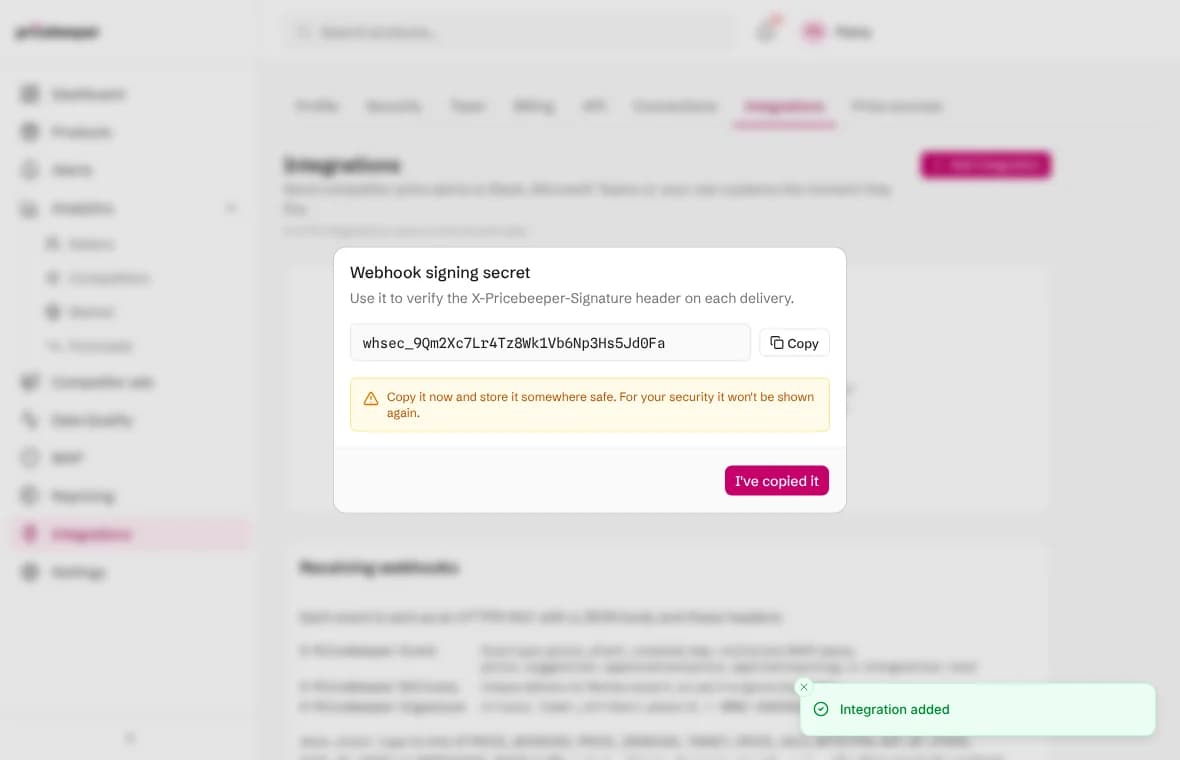
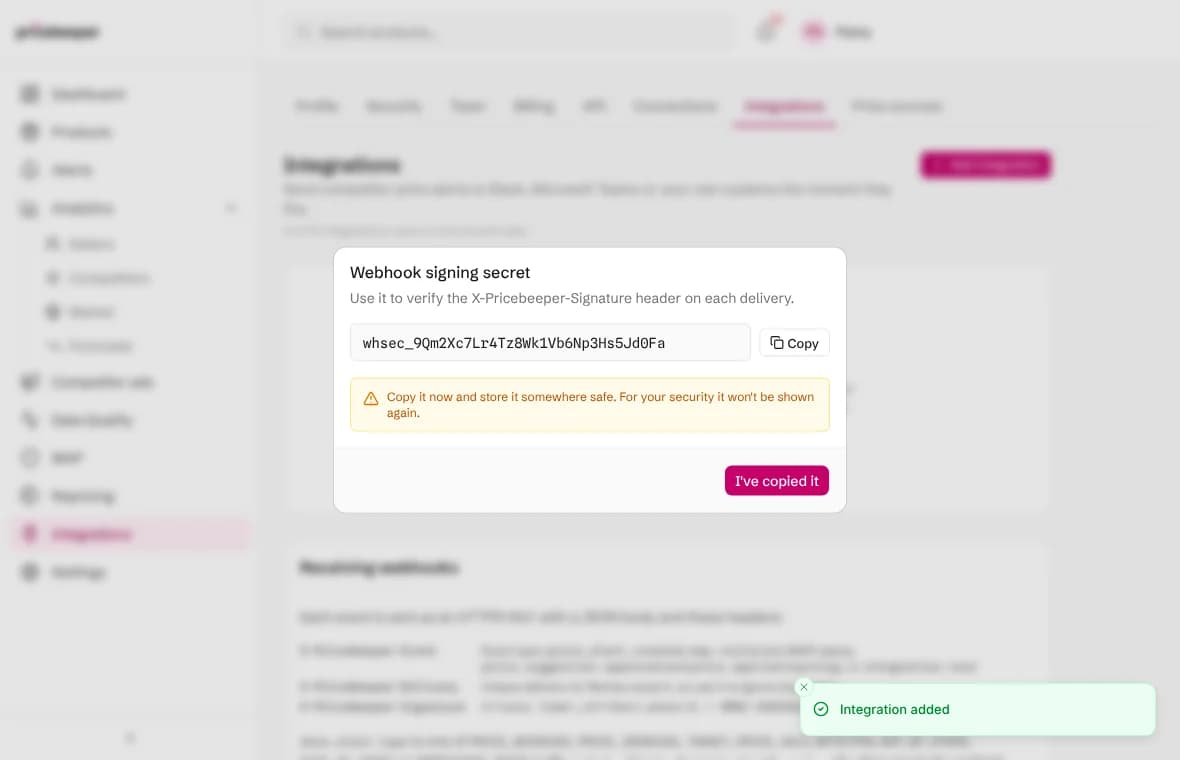
The webhook address is what lets anyone send data to your Zap or scenario, so keep it private. Pricebeeper also signs every request with the integration's secret (the X-Pricebeeper-Signature header): a Code step in Zapier, or Make's sha256 function with the secret as its key, can check it before anything else runs.
Ideas to start with
- A price log in Google Sheets: one row per price drop, for a weekly review with your team.
- A task when a competitor sells out: a Trello or Asana card for each Competitor out of stock alert, so someone checks whether to raise your price.
- A text message for big drops: high severity only, sent by SMS to whoever sets prices.
- Your CRM or ERP: update a field on the product record with the lowest competitor price.
To change prices in your store automatically, use repricing instead: it keeps every price inside your floor and ceiling and needs no automation tool. To simply see alerts where your team talks, Slack and Microsoft Teams are built in, with no automation tool in between.
Whatever you build, it only runs for the products you monitor. The getting started guide shows how to pick them and attach them to a region, and the price alerts feature explains when each alert type fires.
Questions people ask
Do I need a paid Zapier plan?
Webhooks by Zapier is a premium app, part of Zapier's paid plans. Make's webhooks work on every Make plan, including its free one.
Can Zapier or Make read data from Pricebeeper, not just receive alerts?
Yes. Both can call Pricebeeper's API with an API key from Settings, API: list products, prices and alerts. Webhooks are the better fit for reacting to alerts as they happen.
Can I send only some alerts?
Yes. Each integration has its own alert types and minimum severity, and through the API it can also be limited to chosen products or regions, so a Zap only runs for what it should handle.
Is there a Pricebeeper app in the Zapier or Make directory?
Not yet. The webhook works the same way and carries every alert's details.
Related features
- 01API and integrationsA REST API on every plan, CSV exports, Slack, Microsoft Teams and signed webhooks, and an MCP endpoint for AI agents.
- 02Price and sale alertsAn alert when a competitor cuts or raises a price, starts a sale, or reaches the target price you set.
- 03RepricingRules turn competitor prices into suggested prices within your limits; you approve, and your store is updated.
Last reviewed