Before you start
Create an account at the sign-up page and confirm your email address with the link we send. Confirming matters: until you do, Pricebeeper can show you around but can't add products or send alerts. You start on Free, which monitors up to 50 products in one region from your own product pages and the competitor pages you add yourself.
Paid plans add the part most people come for: Pricebeeper searches Google Shopping and Amazon for every seller of each product, matches them by barcode where it can, and keeps re-reading those sellers' pages. Growth comes with a 14-day trial without a card, so you can see the full picture before paying. The pricing page lists what each plan includes.
When you first sign in, the dashboard offers a two-minute tour that points at each part of the app on your own account. You can take it again any time from the menu under your name.
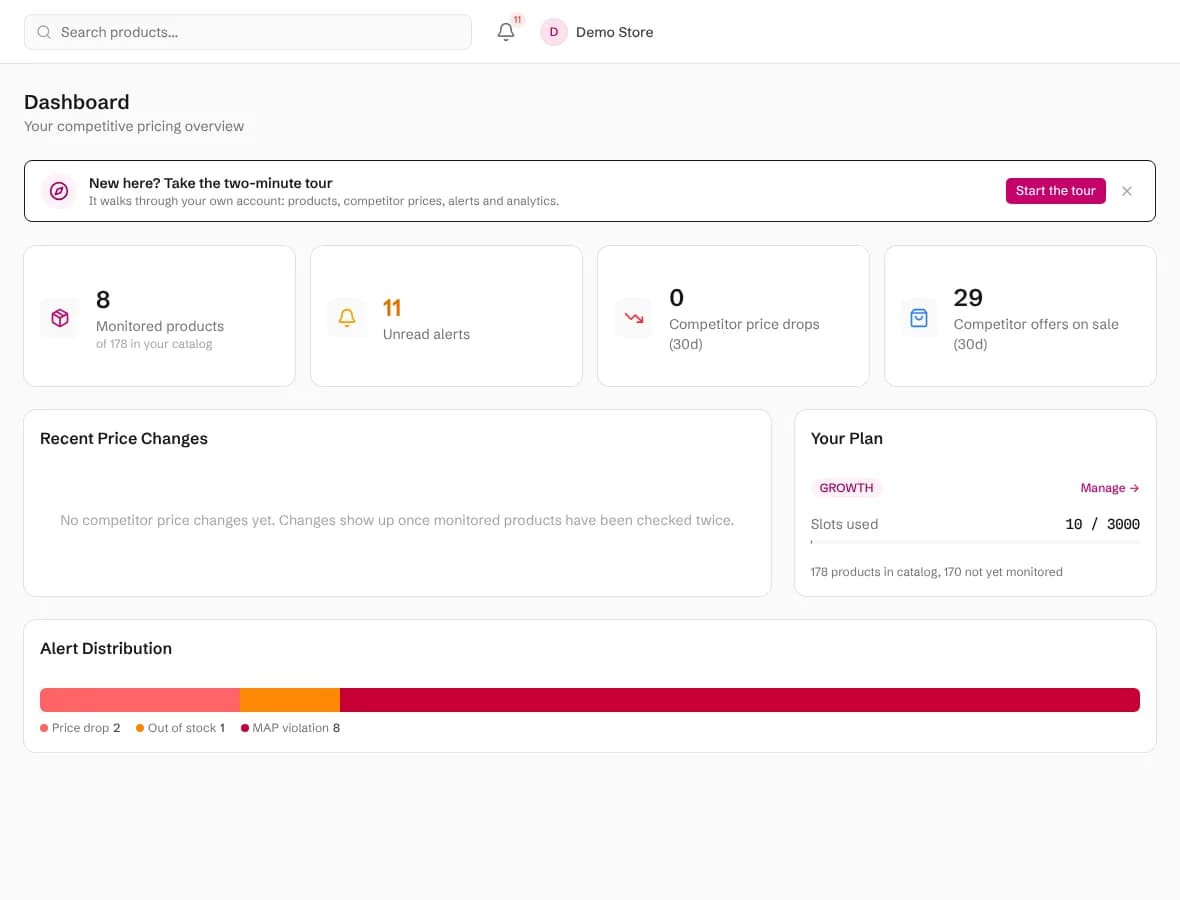
Step 1: Add your products
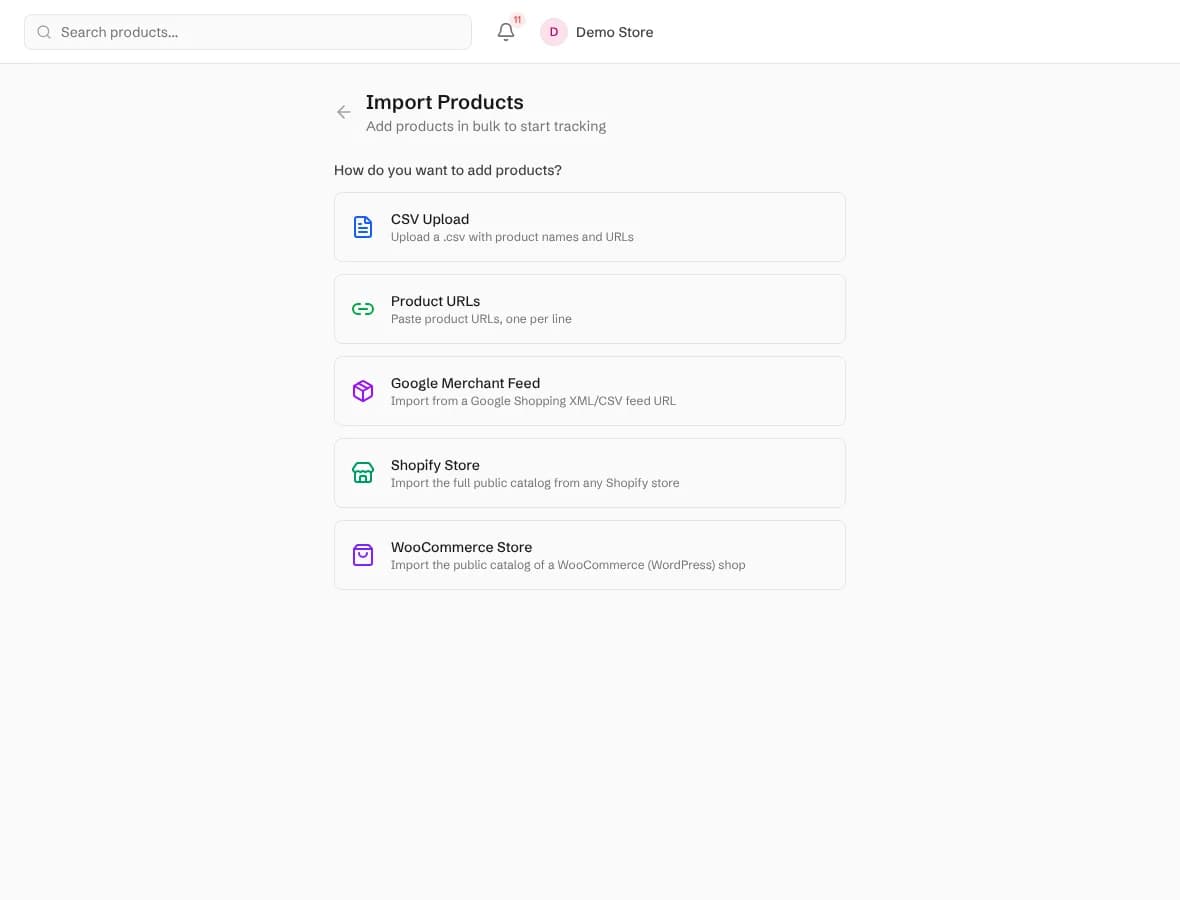
Open Products and choose Import. There are six ways in, and you can mix them:
- Shopify store or WooCommerce store: type the store's address and Pricebeeper reads its public catalog as a background job, with a running count on screen.
- CSV file: a name and a URL per row, plus optional barcode (GTIN, EAN or UPC), brand, MPN and unit cost columns.
- Google Merchant Center feed: the same feed you give Google, by URL or as a file.
- A list of URLs: paste up to 1,000 product pages, one per line.
- One product at a time with Add product.
Barcodes are worth including when you have them. They let Pricebeeper find exactly the same product at other sellers instead of relying on the title, and the unit cost lets repricing protect your margin later. Importing never uses slots and has no limit, so bring in the whole catalog; running an import again only adds what is new. Catalog import explains every format in detail.
Step 2: Choose what to monitor
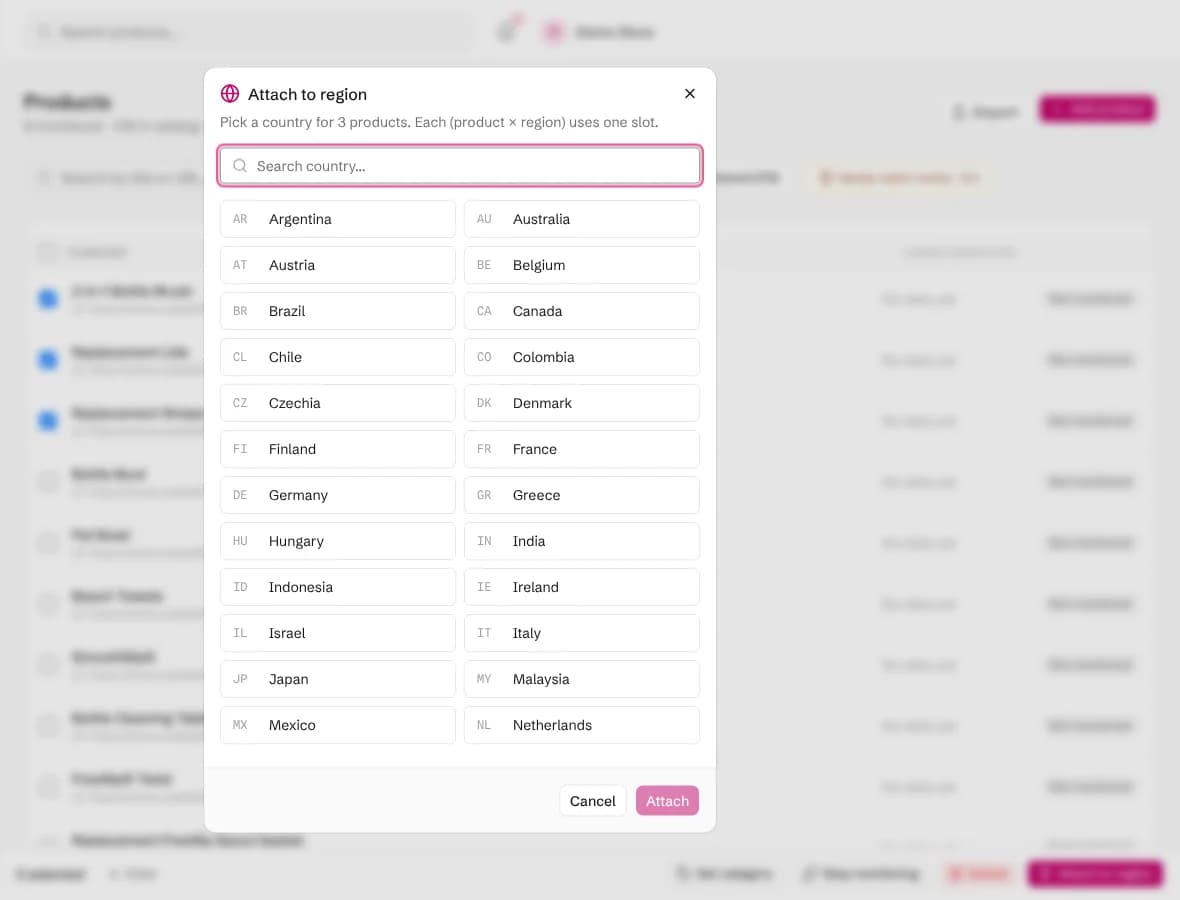
Back on Products, the filter at the top separates monitored products from the rest. Tick the products you want to watch, then choose Attach to region and pick a country, or a state or province when prices differ inside a country. Each product in each region uses one slot: Starter, for example, has 500 slots and 2 regions, which could be 500 products in one country or 250 products in two.
A good first selection is your best sellers and the products you know competitors discount. If you select more than your plan allows, Pricebeeper attaches what fits and tells you how many were left out, with the option to add a slot pack or move up a plan. Newly attached products are checked straight away, so the first prices usually arrive within the hour.
Step 3: Read a product's competitor table
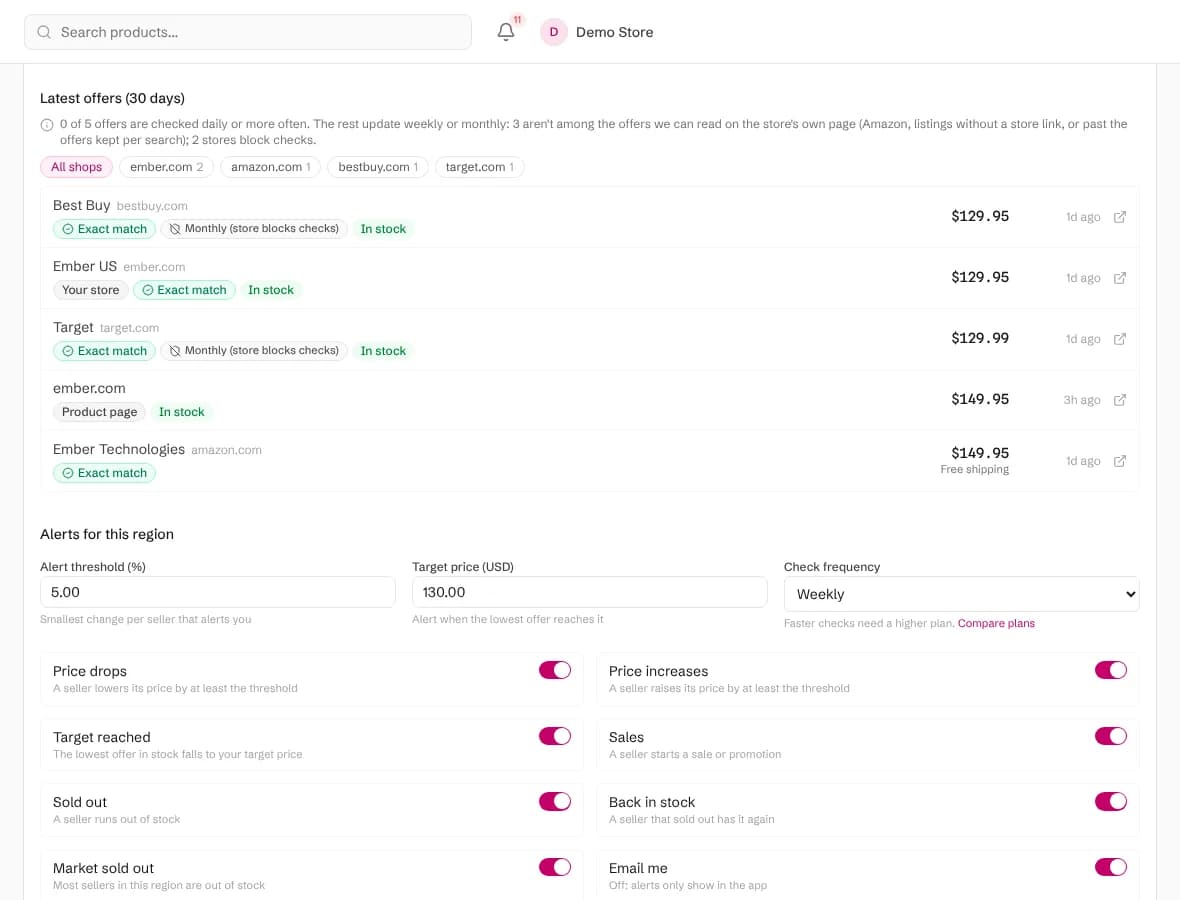
Click any monitored product to open its page. The table lists every seller Pricebeeper found for it in the region, cheapest first, with the price, shipping, total, stock, condition and when the price was last read. The chart above it shows how the lowest market price and each seller moved over time.
- Exact match marks a seller found through the product's barcode, Google product id or Amazon ASIN: the same item for certain.
- Product page is the read of the URL you imported, usually your own store. It is shown for reference and never counts as a competitor.
- Your store marks other listings on your own store's domain, such as your Google Shopping entry. They are left out of alerts and analytics too.
- The refresh label says how often each price updates: daily or weekly from the seller's own page, or monthly for offers only a search can see, such as Amazon.
Check now reads the product and its known competitors' pages straight away instead of waiting for the schedule. If a seller you know about is missing, add its page under Competitors you track; Pricebeeper reads it on your plan's schedule.
Step 4: Confirm the matches
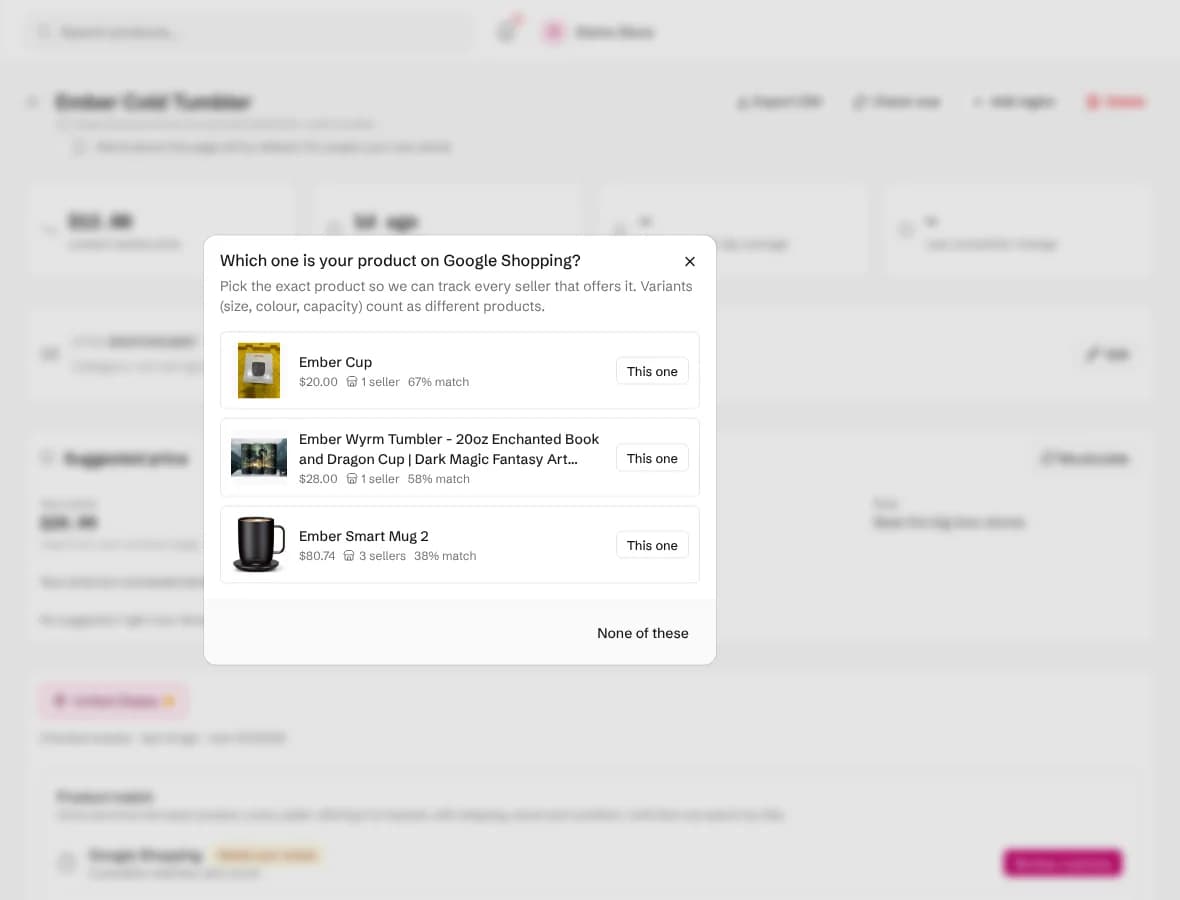
When a product has a barcode, Pricebeeper finds the exact item on Google Shopping and Amazon by itself. Without one, it searches by brand and title and shows its best candidates. A product with a Review match label is waiting for you: open it, choose Review matches, compare each candidate's title, image and price with yours, and pick This one, or None of these when none is right.
Confirming takes a few seconds per product and pays off for months. A confirmed match switches the product from a keyword search, which can include accessories and bundles, to the list of sellers of that one item. The Needs match review filter on the Products page shows everything waiting, so nothing waits unseen. Exact product matching explains how candidates are chosen.
Step 5: Decide which alerts you want
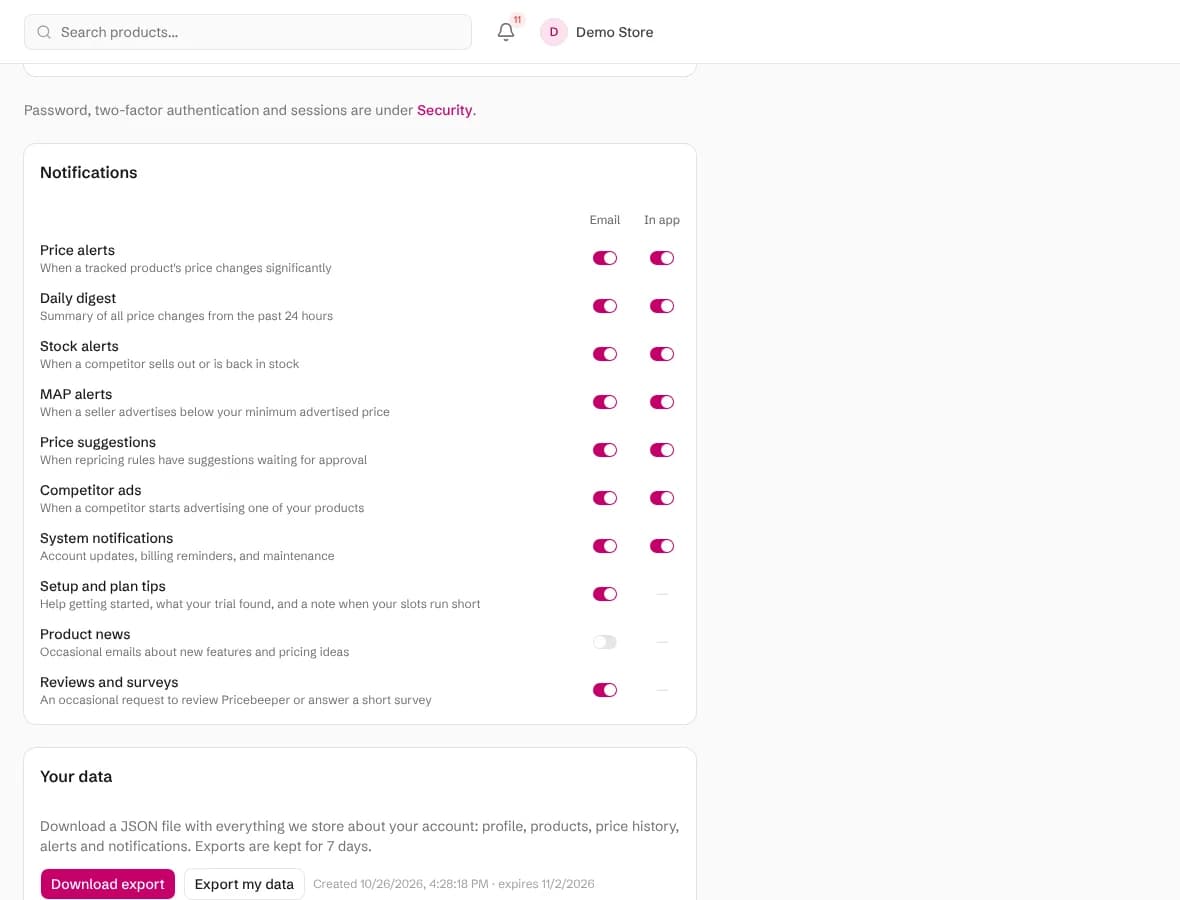
Pricebeeper raises an alert when a competitor drops or raises a price, starts a sale, sells out or comes back in stock, and when a price reaches a target you set on a product. The Alerts page lists them with the seller, the region and the old and new price, and the type filter narrows it down.
Alerts reach you in three ways. In the app, the bell at the top shows new ones as they happen. By email, they arrive in one batch per sync rather than one message each, with price and stock changes in separate sections. And under Integrations you can send them to a Slack channel or to your own systems as signed webhooks. Choose which kinds reach your inbox and which stay in the app under Settings, in the Notifications section. Price alerts has the full list of alert types.
Step 6: Use the analytics
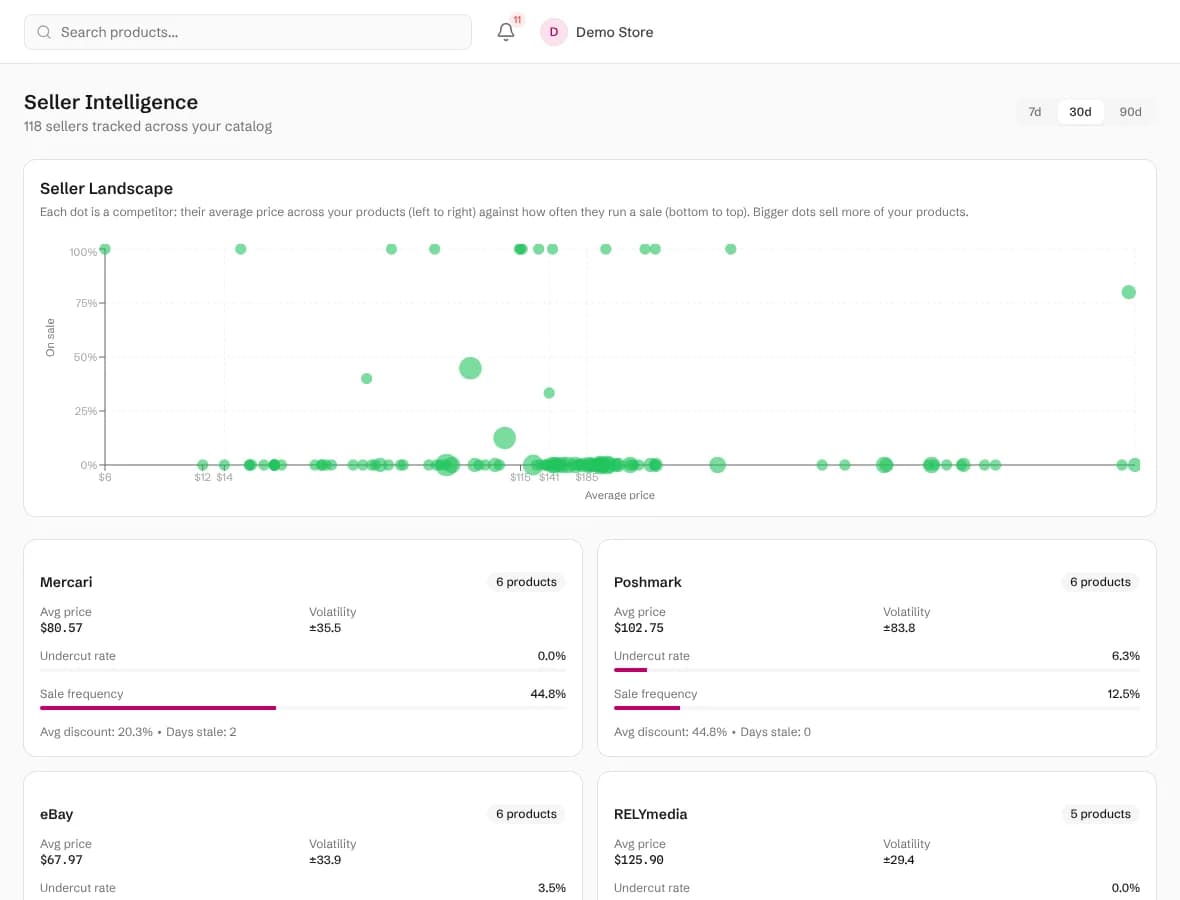
After a few days of prices, the Analytics pages start answering bigger questions than a single price change:
- Sellers ranks your competitors by how many of your products they sell, their average price, how volatile it is, how often they undercut you and how often they run sales.
- Competitors shows, product by product, when sales happened, how deep they went, and which seller tends to move first while the others follow.
- Market compares regions and, once products have categories, tracks a price index per category. Set categories in bulk from the Products page.
- Forecasts projects a product's market price for the next seven days, with a confidence band, once it has prices on three or more days.
The products you see in analytics are always yours to choose: the product picker searches your whole monitored catalog, so it works the same with ten products or ten thousand. Pricing analytics describes each report.
Step 7: Turn prices into decisions
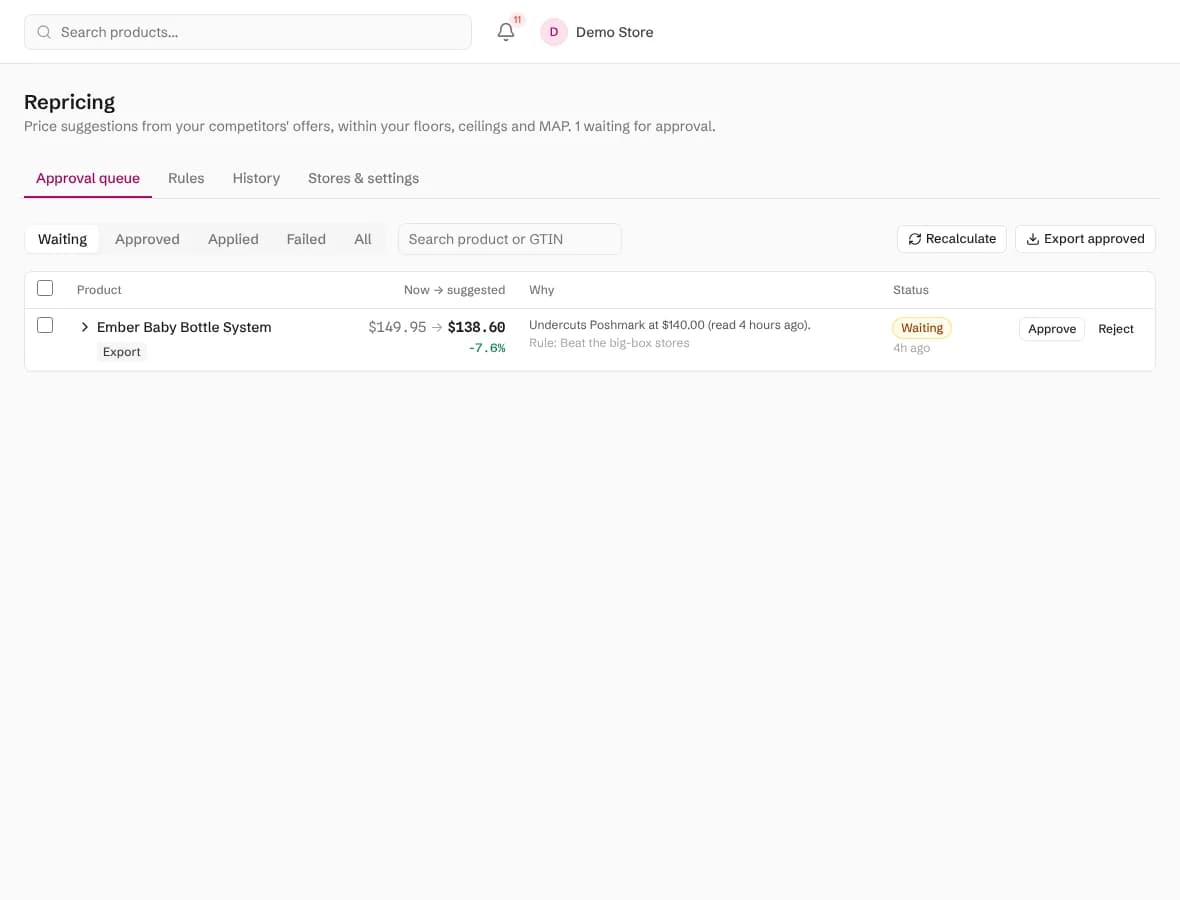
On Growth, Pro, Business and Custom, Repricing turns the competitor prices into a suggested price for each product. A rule says what to aim for (match the lowest competitor, beat it by an amount or a percentage, or sit at a point in the market) and what never to cross: a floor price or margin over cost, a ceiling, your MAP and the largest change at once. Suggestions wait in the approval queue with the reason for each; approve them, export them as a CSV, or write them to your Shopify or WooCommerce store. Once a rule has proved itself, it can apply prices by itself on Pro, Business and Custom.
Brands that sell through resellers can use MAP monitoring on Growth, Pro, Business and Custom. Add a policy per product, or import a price list, and Pricebeeper flags every seller advertising below it, keeps dated evidence and builds a report per seller you can send with a notice. MAP monitoring and repricing each have a full guide.
Step 8: Bring in your team
Under Settings, Team, invite colleagues by email. Members can add products, monitor and approve price suggestions; admins can also manage integrations and teammates; viewers can read everything and change nothing. Viewers are free on paid plans, up to 100, and don't use a seat. Each person signs in with their own account, so the activity log shows who did what. Teams and security covers two-factor sign-in and single sign-on.
How often prices update
Every plan reads your product pages and pinned competitor pages on a schedule. Paid plans also search Google Shopping and Amazon for every seller once a month, then re-read the sellers they found from their own pages between searches. That keeps prices fresh without paying for a full search every day.
| Plan | Seller search | Known sellers re-read | Pinned pages |
|---|---|---|---|
| Free | None | Not applicable | Weekly |
| Starter and Plus | Monthly | Weekly | Weekly |
| Growth and up | Monthly | Daily, the 5 cheapest every 6 hours | Every 6 hours |
Offers that can't be read from a seller's own page, such as Amazon listings or stores that block automated reading, update at the monthly search, and the table labels them that way. Daily re-checks explains the schedule in full.
Questions people ask
How long until I see competitor prices?
Usually within the hour of attaching a product to a region. Paid plans search Google Shopping and Amazon straight away; Free reads your product page and any competitor pages you pin.
Do I need barcodes?
No, but they help. With a barcode Pricebeeper finds the exact item at other sellers by itself. Without one it searches by brand and title and asks you to confirm the best candidate.
Why is my own store listed in the competitor table?
Your product page and your other listings, such as your Google Shopping entry, are shown for reference with a Product page or Your store label. They never count as competitors in alerts, analytics or repricing.
Can I change what I monitor later?
Yes. Remove a product from a region to free its slot, pause it to keep its history without checks, or attach new products any time. Your catalog and price history stay when you change plans.
Where can I see this guide inside the app?
Choose Take the tour from the menu under your name. It walks through the same steps on your own account.
Related features
- 01Catalog importLoad your whole catalog from Shopify, WooCommerce, a Merchant Center feed, CSV or URLs, then choose what to monitor.
- 02Barcode and exact product matchingMatch each product to its Google Shopping product and Amazon ASIN by barcode, then track the sellers of that item.
- 03Price and sale alertsAn alert when a competitor cuts or raises a price, starts a sale, or reaches the target price you set.
- 04Pricing analyticsPrice history, seller scorecards, sale patterns, who moves first, forecasts and regional price gaps.
- 05RepricingRules turn competitor prices into suggested prices within your limits; you approve, and your store is updated.
Last reviewed