Before you start
You need an employee account with access to Advanced Parameters in your PrestaShop back office, a Pricebeeper account with a confirmed email address, and the owner or admin role in that account. Connections hold credentials, so other team roles can see them but not add them.
If you already give Google Shopping or a price comparison site a product feed, that works too: the product feed guide covers it. The webservice is the better choice when repricing should know your wholesale prices, which feeds don't carry.
Step 1: Create a webservice key in PrestaShop
Switch the webservice on
In the back office, open Advanced Parameters and then Webservice. Set Enable PrestaShop's webservice to Yes and save.
Add a key
Choose Add new webservice key, then the Generate button to create a random key. Describe it as Pricebeeper and set its status to Yes.
Allow viewing products and combinations
In the permissions table, tick the View (GET) column for products and combinations and nothing else. Pricebeeper only reads, so it never needs the other columns.
Save and copy the key
Save the key and copy it. You can come back to this page to see it again.
In a shop with several stores (multistore), the key belongs to the stores you tick under Shop association. Tick the store whose prices you want to monitor.
Step 2: Connect it in Pricebeeper
Open Connections
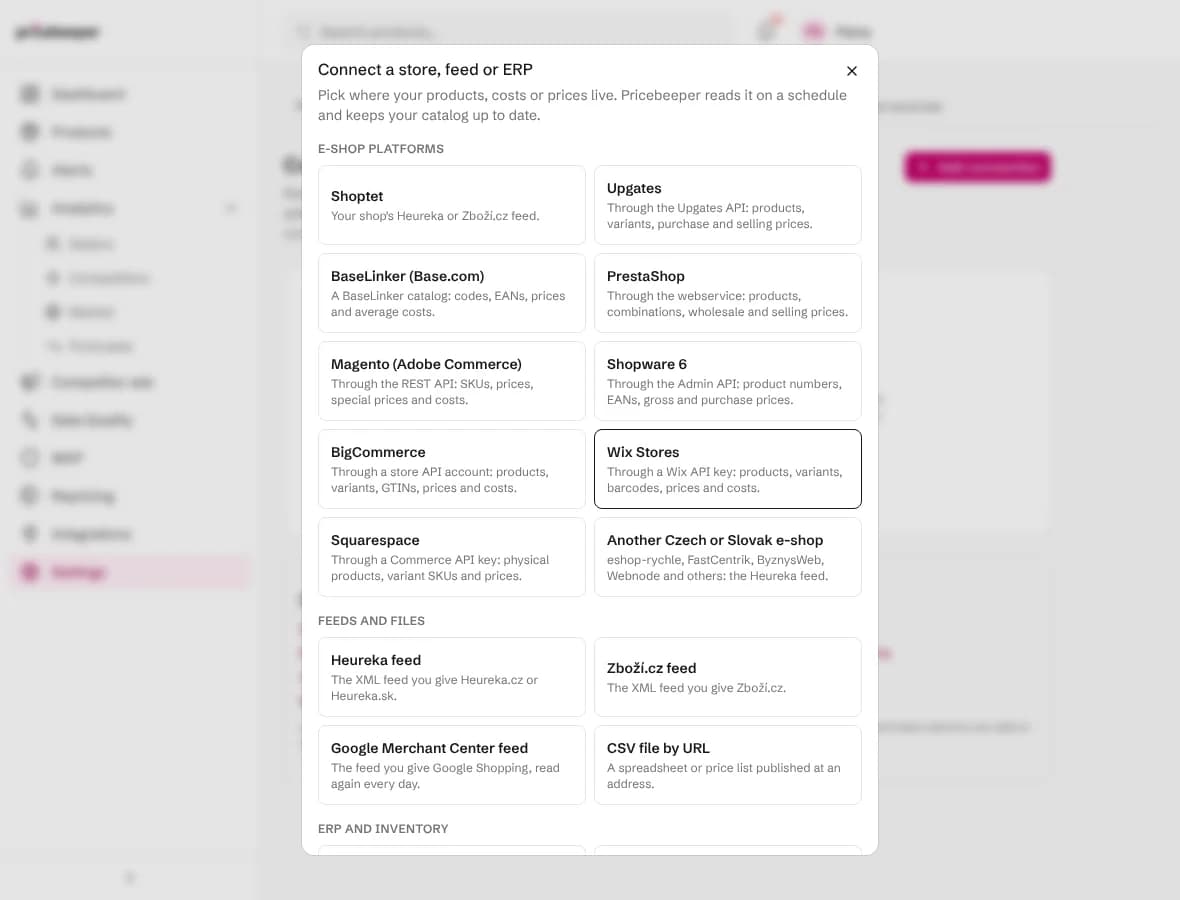
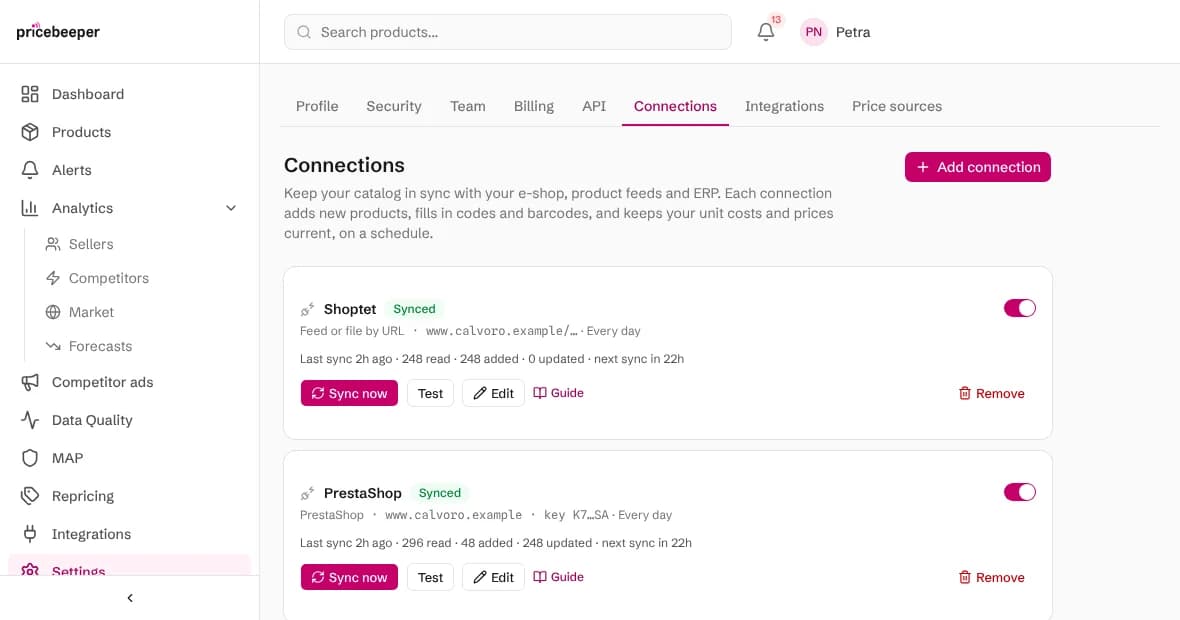
In Pricebeeper, go to Settings, Connections, choose Add connection and pick PrestaShop.
Fill in the access details
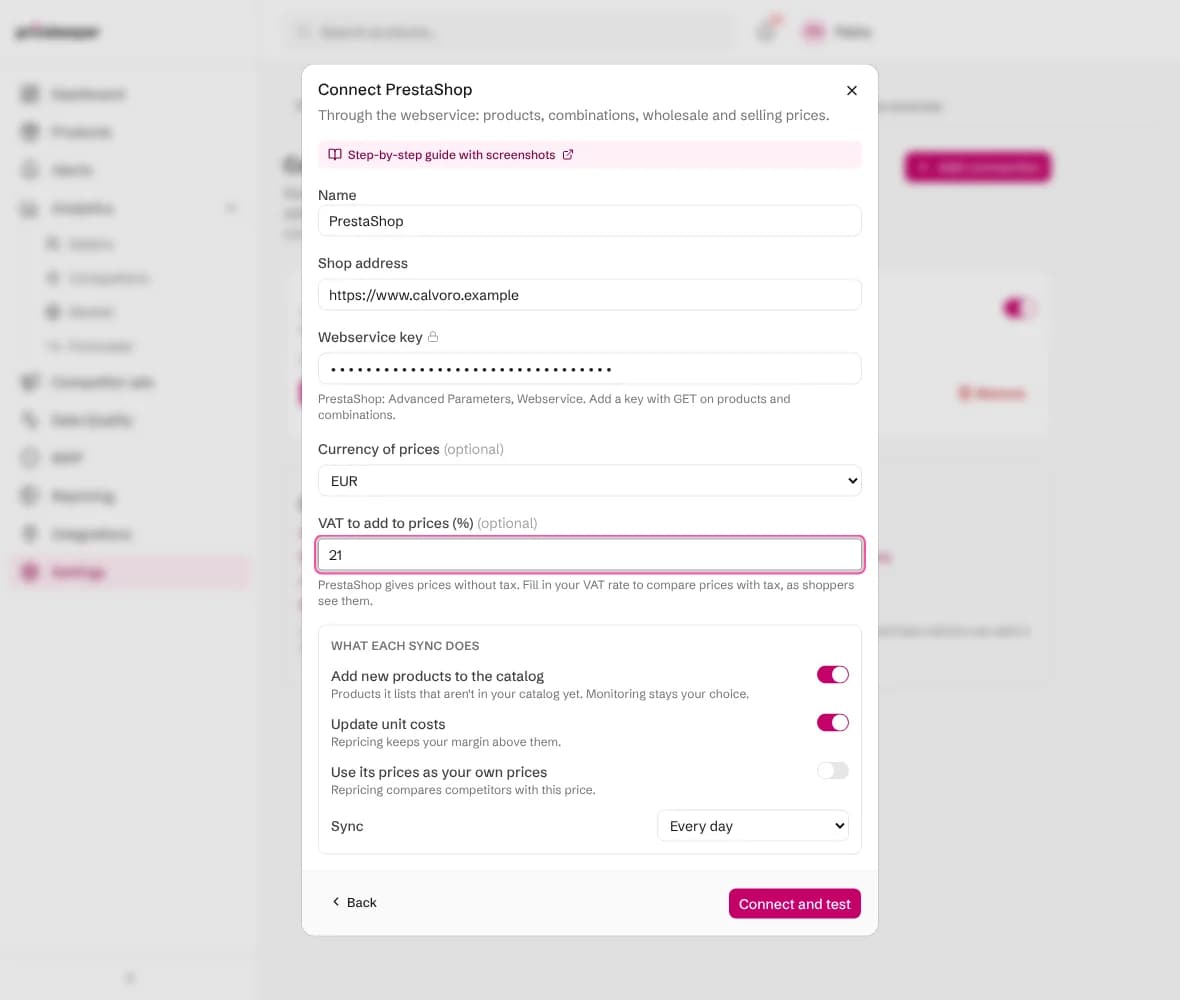
Fill in your Shop address (such as https://www.myshop.com), paste the Webservice key and choose the currency of your prices. In VAT to add to prices, enter the rate your shoppers pay, such as 21 or 20, so your own prices are compared with competitors' prices as shoppers see them. Leave it empty if you sell without VAT.
Choose what each sync does
Add new products brings in products that aren't in your catalog yet, each with its page address. Update unit costs uses the wholesale price. Use its prices as your own prices uses the retail price with the VAT you entered.
Connect and test
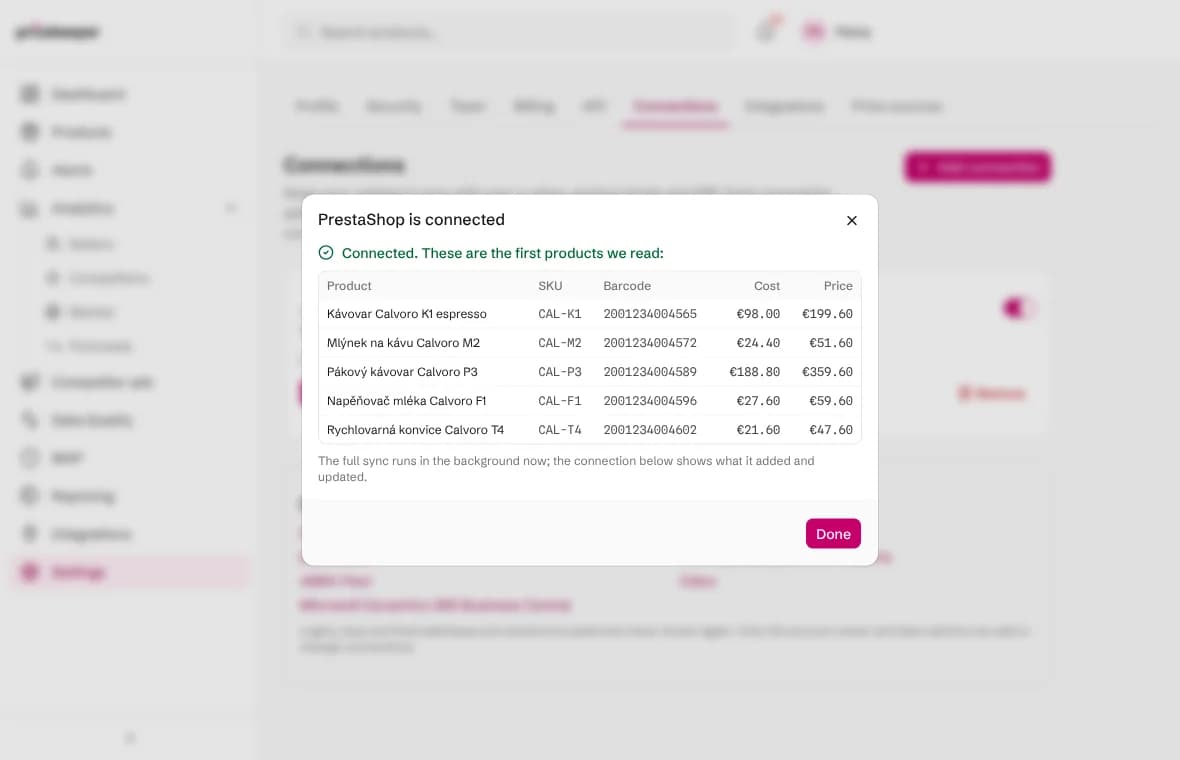
Choose Connect and test. Pricebeeper signs in, reads the first products and shows them with their codes, barcodes, costs and prices, so you can check them before the full sync runs in the background.
What a sync changes
Each sync reads every product PrestaShop lists and finds the matching product in your catalog: first by product code (SKU), then by barcode (EAN or GTIN). A code or barcode that several of your products share matches none of them, so a duplicate never gets the wrong cost.
- Unit cost replaces the cost Pricebeeper had, when Update unit costs is on. Repricing keeps every suggestion above the margin floor it sets.
- Your own price becomes the price competitors are compared with, when Use its prices as your own prices is on.
- Codes and barcodes fill in where a product had none, which helps Pricebeeper find the exact product at other sellers.
- Products that match nothing are counted and listed on the connection, so you can see what is missing from your catalog.
Combinations come in as their own lines with their own references and EANs. Their price is the product's price plus the combination's impact, and a combination without its own wholesale price takes its product's. Products are added with their page address; combinations are matched by reference or EAN to products already in your catalog. Inactive products are skipped. Names come from your shop's first language.
A sync never deletes, renames or moves anything, and it reads only: Pricebeeper writes nothing back to your system. Approved prices reach your store only through a store you connect for repricing.
Step 3: Check the results
The connection shows when it last synced, how many products it read, added and updated, and how many it couldn't match. Sync now runs it straight away; the switch pauses it. New products wait under Products, filtered as not monitored: choose the ones to watch and attach them to a region, as the getting started guide explains.

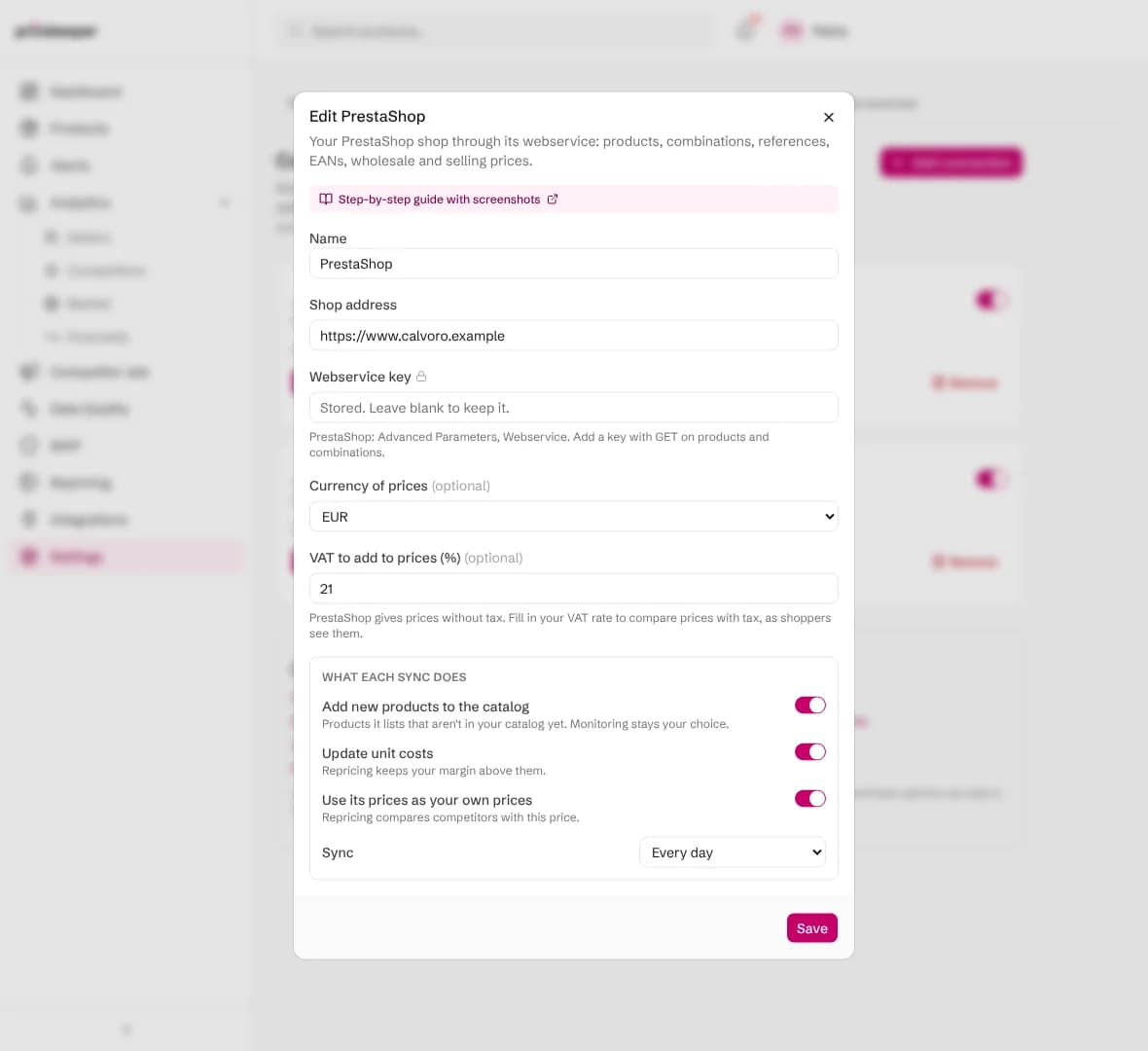
To use a new key later, choose Edit and paste it. Leave a secret field empty to keep what is stored.
When a sync fails
| Message | What to do |
|---|---|
| The login, key or token was refused | Check that the key is active and the webservice is switched on. On some hosting, PHP runs as CGI and drops the key: set Enable CGI mode for PHP to Yes on the Webservice page. |
| The key works but isn't allowed to read products | Tick View (GET) for products and combinations on the key, and tick your store under Shop association. |
| Nothing was found at that address | Check the shop address. Pricebeeper tries both /api/ and the webservice dispatcher, so friendly URLs don't need to be on. |
| The source asked us to slow down | Nothing: the next scheduled sync tries again. If it keeps happening, choose a weekly sync. |
| The source had an error on its side | Nothing at first: the next sync tries again. If it fails for days, check the system's status page. |
After ten failed scheduled syncs in a row a connection pauses itself, so it stops trying with details that no longer work. Fix the setting with Edit, then switch it back on.
Questions people ask
Why do I enter a VAT rate?
PrestaShop's webservice gives the price without tax, while shoppers and competitors' pages show it with tax. The rate you enter is added to your own prices so they compare like for like. Unit costs stay as PrestaShop has them.
Do specific prices and catalog rules count?
No. Pricebeeper reads the regular retail price of each product and combination. Repricing then suggests the price to set, and you decide how to apply it in PrestaShop.
How are my keys and passwords stored?
Encrypted, and never shown again, not even to you: the connection shows only a short hint. Only the account owner and team admins can add or change connections, and they are sent only to the address you entered.
Does Pricebeeper change anything in my system?
No. Connections only read. Give the access the least rights that let it read products and prices, and Pricebeeper can never change your data.
Does a connection use my plan's slots?
No. Slots are used only when you attach a product to a region to monitor it. Connections keep your catalog's codes, costs and prices current on every plan.
Related features
- 01Catalog importLoad your whole catalog from Shopify, WooCommerce, a Merchant Center feed, CSV or URLs, then choose what to monitor.
- 02RepricingRules turn competitor prices into suggested prices within your limits; you approve, and your store is updated.
- 03Barcode and exact product matchingMatch each product to its Google Shopping product and Amazon ASIN by barcode, then track the sellers of that item.
Last reviewed