Before you start
You need an admin user who can manage integrations and store configuration, a Pricebeeper account with a confirmed email address, and the owner or admin role in that account. Connections hold credentials, so other team roles can see them but not add them.
Note the code of the attribute that holds your barcodes, if you keep them (often ean or gtin), and the product URL suffix your store uses (Stores, Configuration, Catalog, Catalog, Search Engine Optimization; usually .html).
Step 1: Create an integration in Magento
Add the integration
In the admin, open System, Extensions, Integrations and choose Add New Integration. Name it Pricebeeper and confirm with your admin password.
Limit it to products
On the API tab, set Resource Access to Custom and tick only Catalog, Inventory, Products. Save.
Activate it and copy the access token
Choose Activate next to the integration, then Allow. Magento shows four values; copy the Access Token. The other three aren't needed.
Allow the token as a bearer token
Since Magento 2.4.4, open Stores, Configuration, Services, OAuth, Consumer Settings and set Allow OAuth Access Tokens to be used as standalone Bearer tokens to Yes. Without it, Magento refuses the token.
Magento's resource list has no read-only switch, but Pricebeeper only ever sends read requests with the token, and the integration can't reach anything outside products.
Step 2: Connect it in Pricebeeper
Open Connections
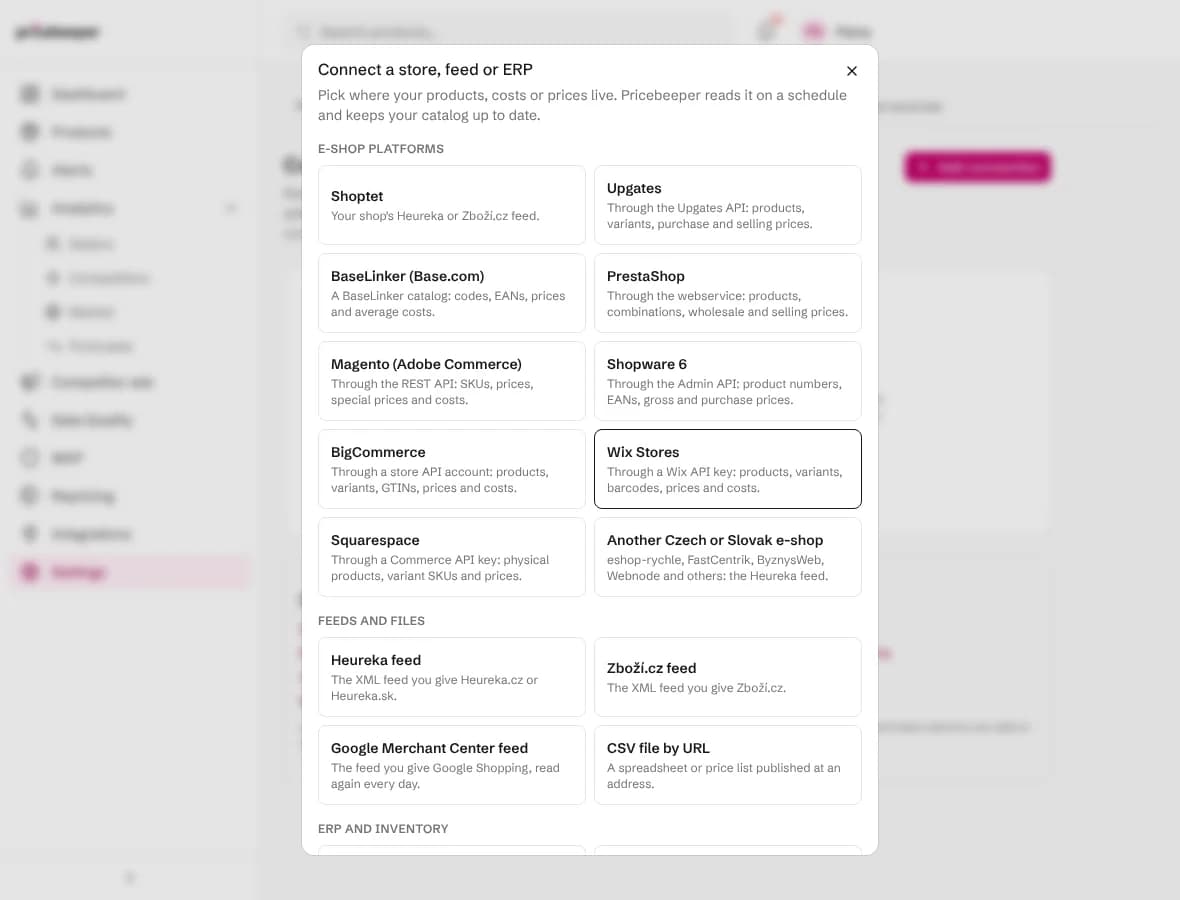
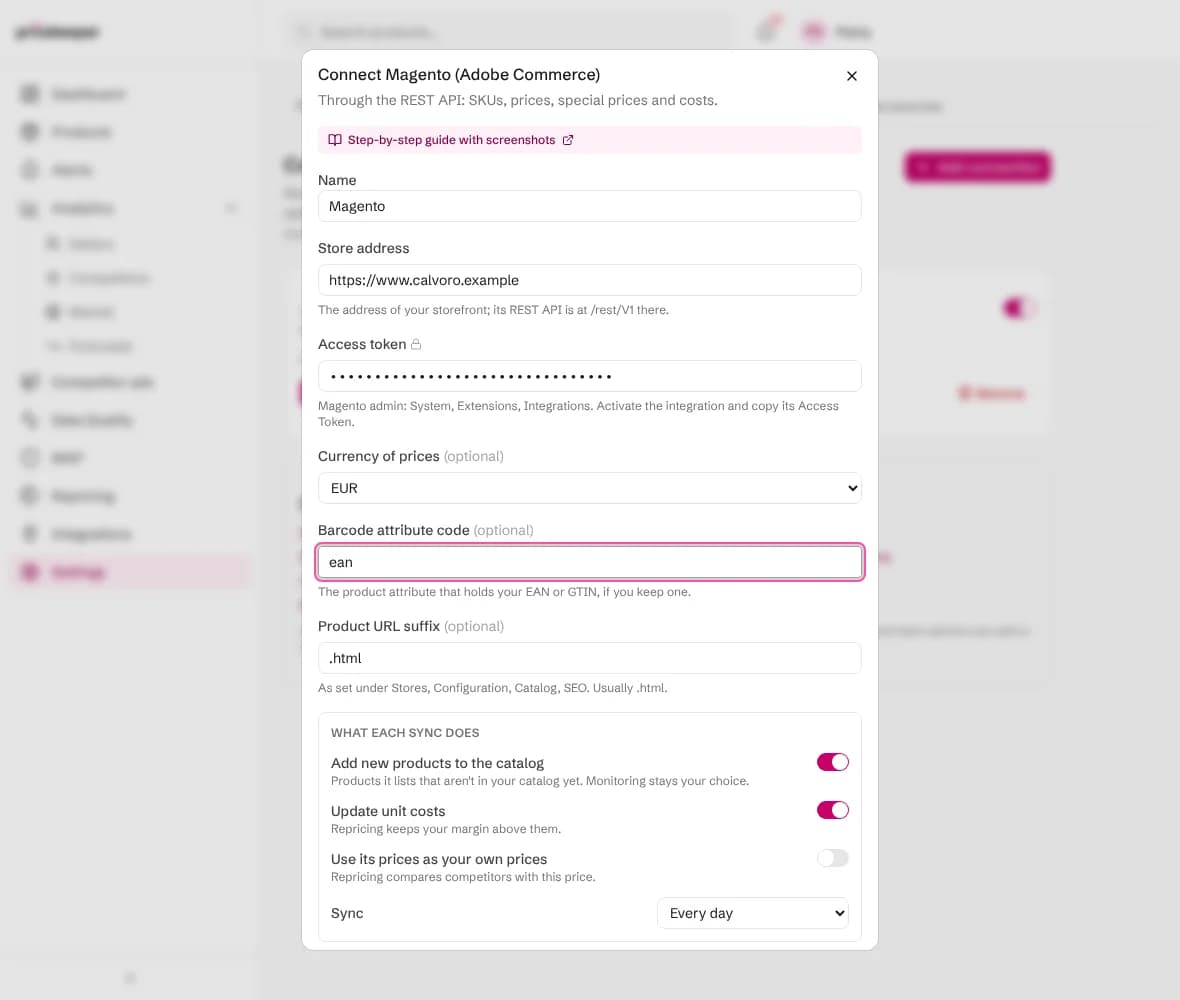
In Pricebeeper, go to Settings, Connections, choose Add connection and pick Magento (Adobe Commerce).
Fill in the access details
Fill in your Store address (such as https://www.mystore.com), paste the Access token and choose the currency of your prices. Fill in the Barcode attribute code if you keep EANs, and check the Product URL suffix.
Choose what each sync does
Add new products brings in products that have their own page. Update unit costs uses the cost attribute. Use its prices as your own prices uses the price, or the special price while it runs.
Connect and test
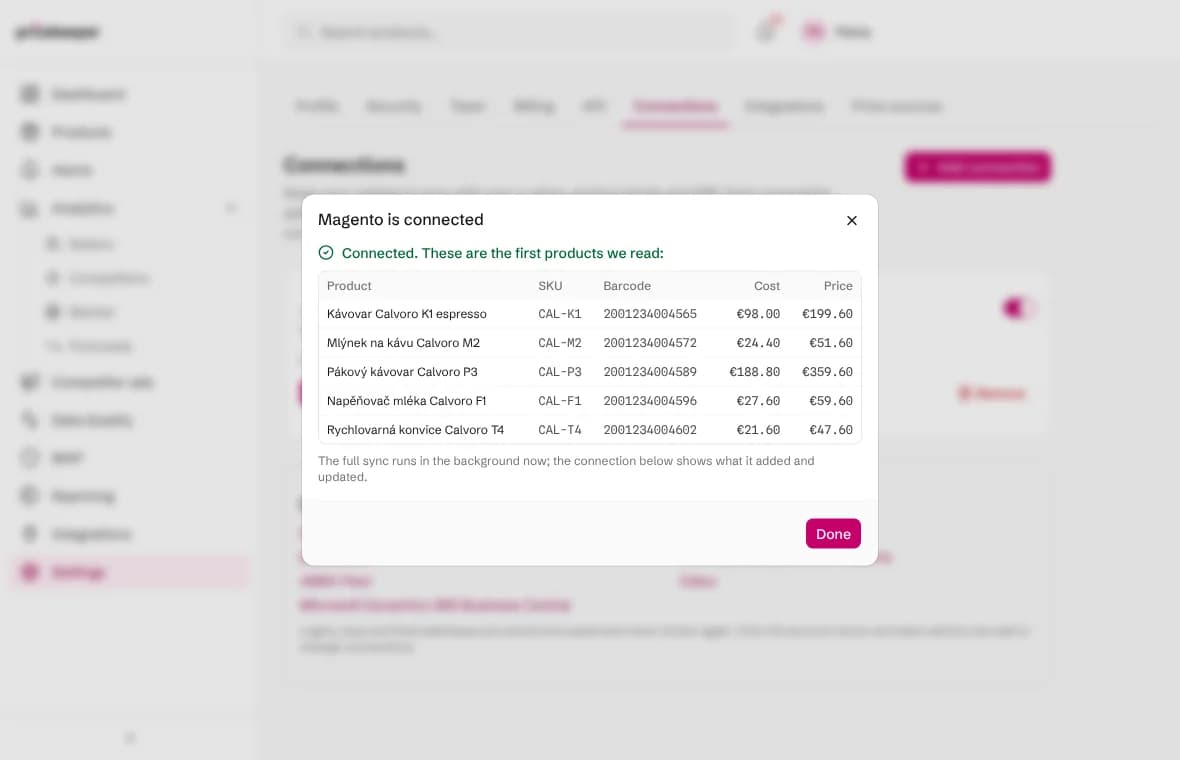
Choose Connect and test. Pricebeeper signs in, reads the first products and shows them with their codes, barcodes, costs and prices, so you can check them before the full sync runs in the background.
What a sync changes
Each sync reads every product Magento lists and finds the matching product in your catalog: first by product code (SKU), then by barcode (EAN or GTIN). A code or barcode that several of your products share matches none of them, so a duplicate never gets the wrong cost.
- Unit cost replaces the cost Pricebeeper had, when Update unit costs is on. Repricing keeps every suggestion above the margin floor it sets.
- Your own price becomes the price competitors are compared with, when Use its prices as your own prices is on.
- Codes and barcodes fill in where a product had none, which helps Pricebeeper find the exact product at other sellers.
- Products that match nothing are counted and listed on the connection, so you can see what is missing from your catalog.
Only enabled products are read. Products that are Not Visible Individually, such as the simple products behind a configurable one, have no page of their own: they update products already in your catalog by SKU and are never added on their own. A special price counts only between its from and to dates. Prices are read from the default scope.
A sync never deletes, renames or moves anything, and it reads only: Pricebeeper writes nothing back to your system. Approved prices reach your store only through a store you connect for repricing.
Step 3: Check the results
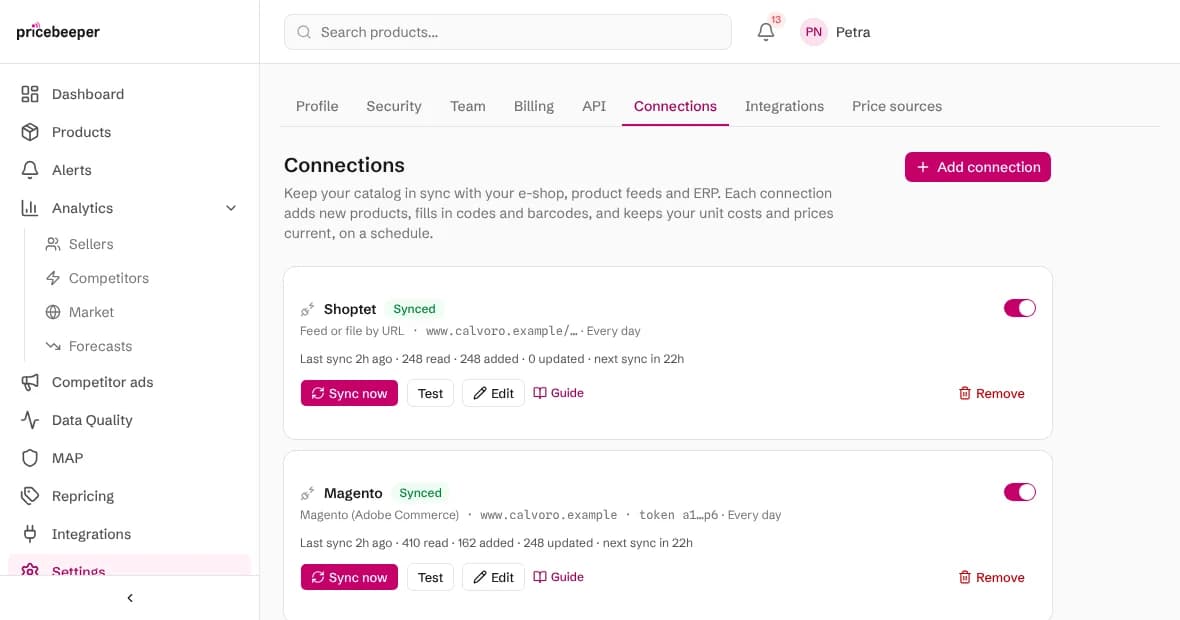
The connection shows when it last synced, how many products it read, added and updated, and how many it couldn't match. Sync now runs it straight away; the switch pauses it. New products wait under Products, filtered as not monitored: choose the ones to watch and attach them to a region, as the getting started guide explains.

When a sync fails
| Message | What to do |
|---|---|
| The login, key or token was refused | Check that the integration is active and that standalone bearer tokens are allowed under Stores, Configuration, Services, OAuth. Reauthorizing the integration replaces the token: paste the new one with Edit. |
| The key works but isn't allowed to read products | Edit the integration and tick Catalog, Inventory, Products on its API tab, then activate it again. |
| Nothing was found at that address | Use your storefront's address, without /admin. Pricebeeper reads /rest/V1 there. |
| The source asked us to slow down | Nothing: the next scheduled sync tries again. If it keeps happening, choose a weekly sync. |
| The source had an error on its side | Nothing at first: the next sync tries again. If it fails for days, check the system's status page. |
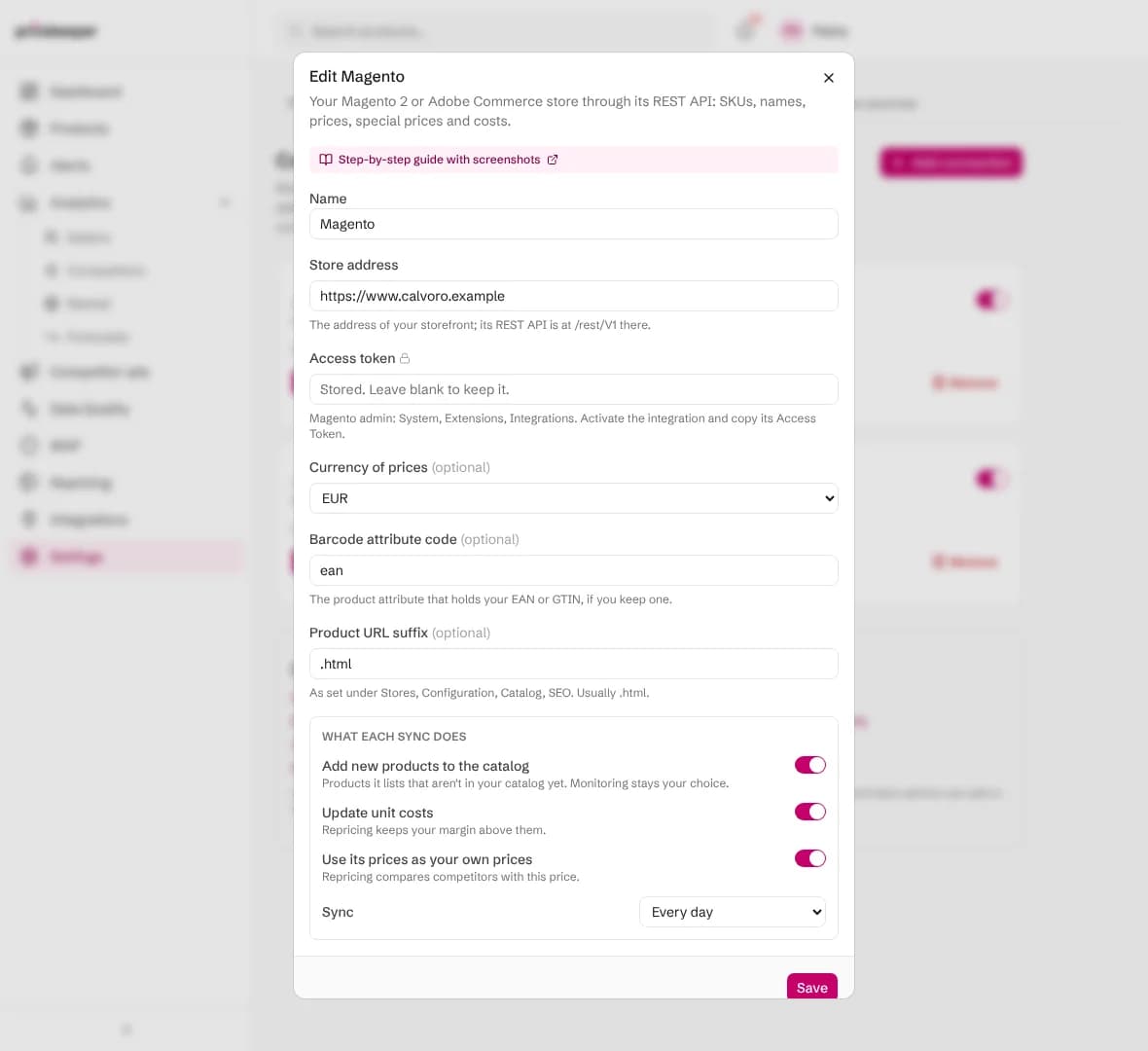
After ten failed scheduled syncs in a row a connection pauses itself, so it stops trying with details that no longer work. Fix the setting with Edit, then switch it back on.
Questions people ask
Does it read store views and websites separately?
It reads the default scope, which most single-store shops use for prices. If your websites have their own prices, tell us at support and we'll look at your setup.
Can I use Magento's Google Shopping feed instead?
Yes, through the product feed guide. The integration is the better choice when repricing should know your costs, which feeds don't carry.
How are my keys and passwords stored?
Encrypted, and never shown again, not even to you: the connection shows only a short hint. Only the account owner and team admins can add or change connections, and they are sent only to the address you entered.
Does Pricebeeper change anything in my system?
No. Connections only read. Give the access the least rights that let it read products and prices, and Pricebeeper can never change your data.
Does a connection use my plan's slots?
No. Slots are used only when you attach a product to a region to monitor it. Connections keep your catalog's codes, costs and prices current on every plan.
Related features
- 01Catalog importLoad your whole catalog from Shopify, WooCommerce, a Merchant Center feed, CSV or URLs, then choose what to monitor.
- 02RepricingRules turn competitor prices into suggested prices within your limits; you approve, and your store is updated.
- 03Barcode and exact product matchingMatch each product to its Google Shopping product and Amazon ASIN by barcode, then track the sellers of that item.
Last reviewed