Before you start
You need the login of your Allegro seller account, a Pricebeeper account with a confirmed email address, and the owner or admin role in that account. Connections hold credentials, so other team roles can see them but not add them.
Pricebeeper reads your active offers. Offers that ended or that you switched off are left out, so your catalog holds what you sell today. If you also run your own e-shop, connect it too: products are matched by code and EAN, so an item you sell in both places stays one product in Pricebeeper.
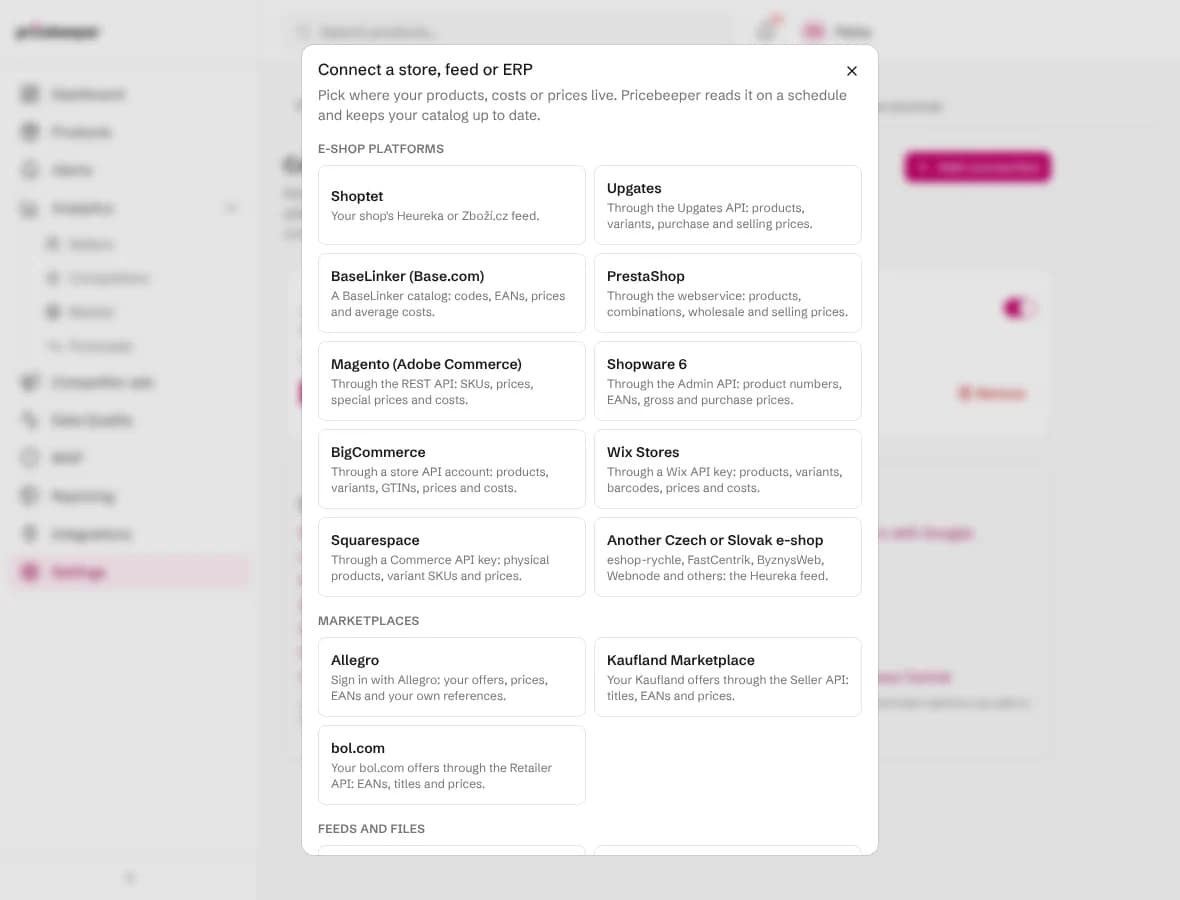
Step 1: Connect and sign in with Allegro
Open Connections
In Pricebeeper, go to Settings, Connections, choose Add connection and pick Allegro under Marketplaces.
Choose the Allegro site for prices
Under Prices from, keep Your main Allegro site or pick Allegro.pl, Allegro.cz, Allegro.sk or Allegro.hu. When you sell one offer on several sites, Pricebeeper reads the price and the offer link of the site you pick.
Choose what each sync does
Add new products brings in offers that aren't in your catalog yet, each with its link on Allegro. Use its prices as your own prices makes your Allegro price the one competitors are compared with.
Continue with Allegro
Choose Continue with Allegro. Allegro asks you to sign in and to let Pricebeeper read your offers. Confirm it, and Allegro sends you back to Pricebeeper, where the first sync starts at once.
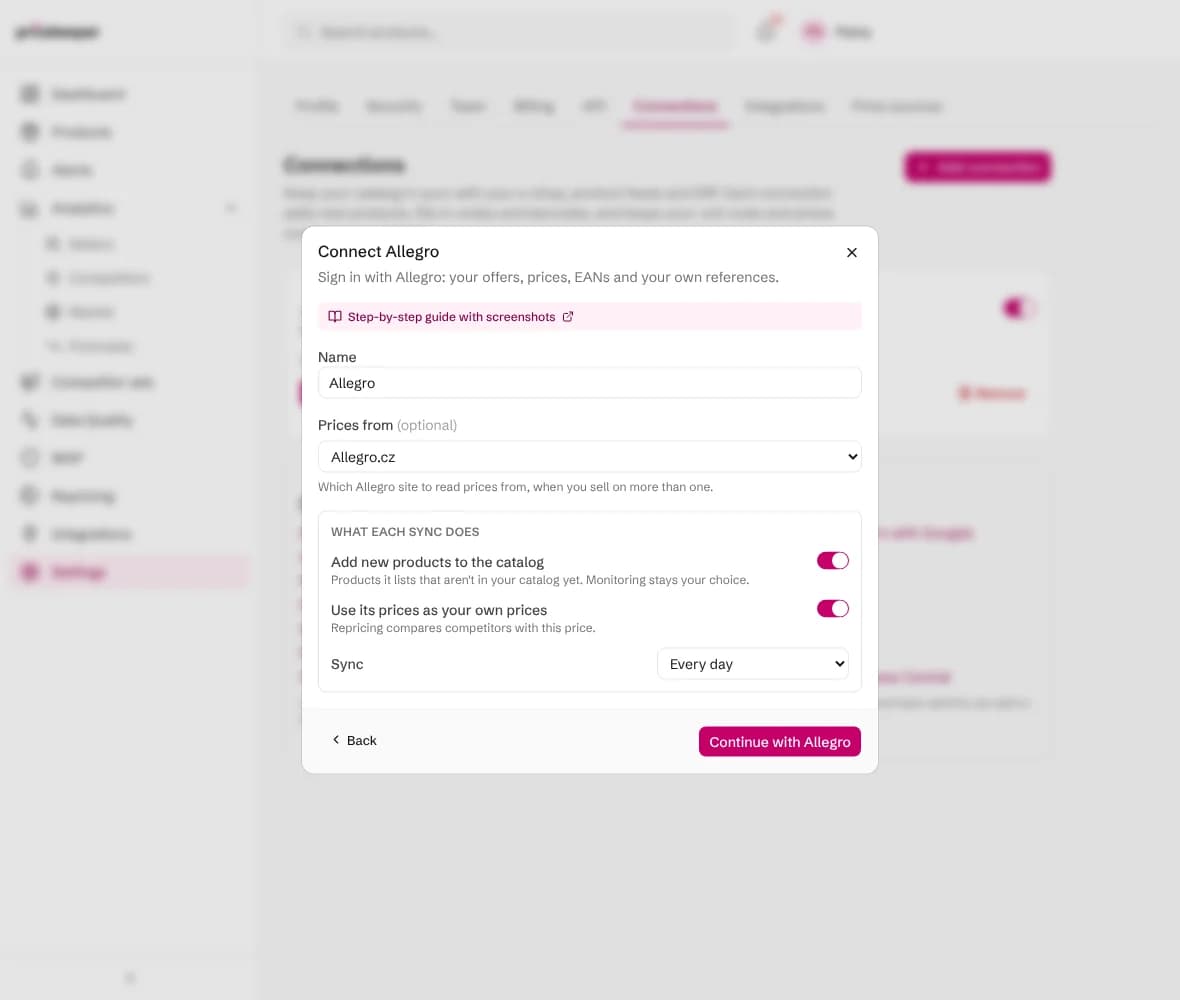
If you close Allegro's page before confirming, nothing is read and the connection waits for you: choose Sign in with Allegro on it to try again.

What a sync changes
Each sync reads every product Allegro lists and finds the matching product in your catalog: first by product code (SKU), then by barcode (EAN or GTIN). A code or barcode that several of your products share matches none of them, so a duplicate never gets the wrong cost.
- Unit cost replaces the cost Pricebeeper had, when Update unit costs is on. Repricing keeps every suggestion above the margin floor it sets.
- Your own price becomes the price competitors are compared with, when Use its prices as your own prices is on.
- Codes and barcodes fill in where a product had none, which helps Pricebeeper find the exact product at other sellers.
- Products that match nothing are counted and listed on the connection, so you can see what is missing from your catalog.
Each offer is one item. Its reference is the external ID (signature) you gave the offer in Allegro, and its barcode is the EAN of the Allegro catalog product the offer is assigned to, with the brand from the same product. An offer that isn't assigned to a catalog product has no EAN, so it matches by reference or by its link only. Prices are read in the currency of the Allegro site you chose.
A sync never deletes, renames or moves anything, and it reads only: Pricebeeper writes nothing back to your system. Approved prices reach your store only through a store you connect for repricing.
Step 2: Check the results
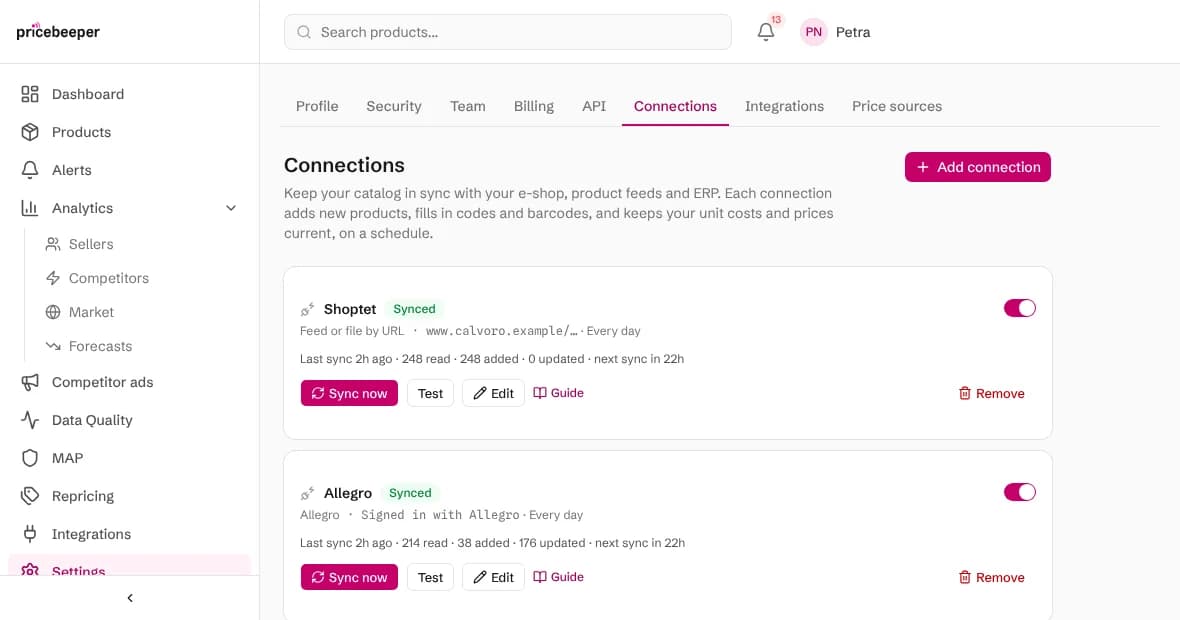
The connection shows when it last synced, how many offers it read, added and updated, and how many it couldn't match. New products wait under Products, filtered as not monitored: pick the ones to watch and attach them to a region, as the getting started guide explains. Their EANs help Pricebeeper find the same product at other sellers.

Staying signed in
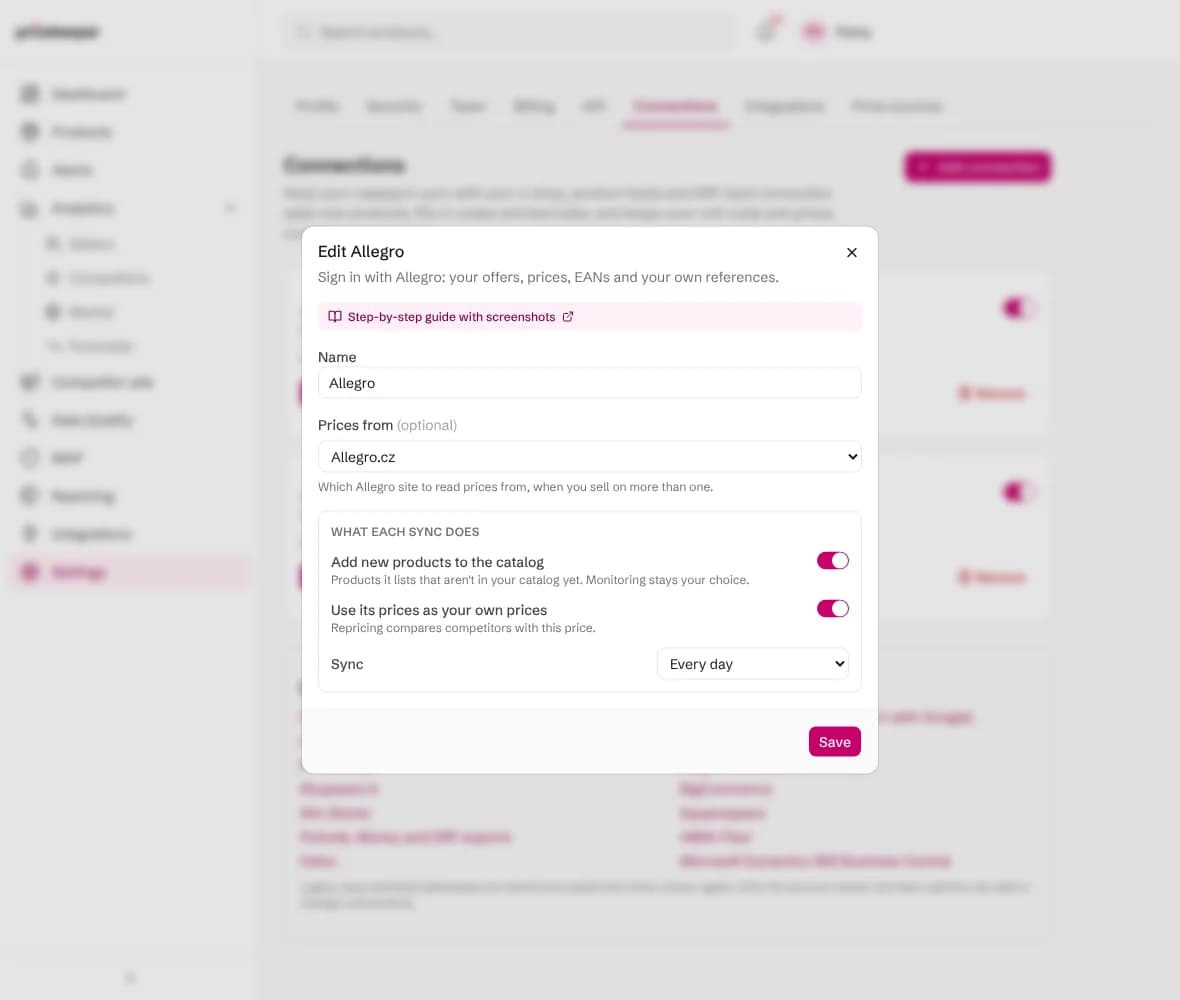
To read prices from another Allegro site, or to change what each sync does, choose Edit on the connection. Editing never asks you to sign in again.
Allegro gives Pricebeeper a pass that lasts three months and is renewed at every sync, so a connection that syncs daily or weekly stays signed in. If you pause it for longer than three months, or remove Pricebeeper's access in your Allegro account, the connection shows Needs sign-in: choose Sign in with Allegro and it carries on where it left off.
Large catalogs take longer on the first sync, because Pricebeeper asks Allegro for each offer's EAN one by one. Allegro limits how many requests an app may send per minute; when a sync reaches that limit, the remaining offers arrive without EANs and the next sync fills them in.
When a sync fails
| Message | What to do |
|---|---|
| Sign in to finish connecting this account | Choose Sign in with Allegro on the connection. It also appears when Pricebeeper's access was removed in your Allegro account. |
| The source answered, but listed no products | The account has no active offers on the Allegro site you chose. Edit the connection and pick another site, or Your main Allegro site. |
| The source asked us to slow down | Nothing: the next scheduled sync tries again. If it keeps happening, choose a weekly sync. |
| The source had an error on its side | Nothing at first: the next sync tries again. If it fails for days, check the system's status page. |
After ten failed scheduled syncs in a row a connection pauses itself, so it stops trying with details that no longer work. Fix the setting with Edit, then switch it back on.
Questions people ask
What can Pricebeeper see in my Allegro account?
Only your offers: their names, prices, stock, references and the catalog products they are assigned to. Pricebeeper asks Allegro for read access to offers alone, so it can't see orders, buyers or messages, and it never changes an offer.
Do I need an Allegro developer account?
No. Pricebeeper has its own registered Allegro application; you only sign in and confirm the access, the same way you would for any other app.
Will Pricebeeper watch competitors on Allegro?
This connection is about your own catalog. Competitor prices come from Google Shopping, the sellers' own shops and the other sources Pricebeeper reads, for the products you choose to monitor.
Does a connection use my plan's slots?
No. Slots are used only when you attach a product to a region to monitor it. Connections keep your catalog's codes, costs and prices current on every plan.
Related features
- 01Catalog importImport your catalog or sync it from your store, ERP, feed or seller account, then choose what to monitor.
- 02Marketplaces and channelsGoogle Shopping, Amazon and competitor sites, plus eBay, bol.com and MCP sources you connect. Kaufland is rolling out.
- 03Barcode and exact product matchingMatch each product to its Google Shopping product and Amazon ASIN by barcode, then track the sellers of that item.
Last reviewed